
From $39.99 · Grade A cells · Tested before shipment
Dell Inspiron Battery Replacement
Find the right battery for your Inspiron 13, 14, 15 or 17 by model number and part number. 15 batteries, free shipping, 1-year warranty.
Inspiron batteries are not interchangeable. A 15 5559 takes a 14.8V pack, a 15 5570 takes an 11.4V pack, and the 2-in-1 models (5400, 7500, 7590) each have their own. Find your model below, check the part number on your old battery and order the pack that lists both. Every card shows voltage, capacity and the exact Inspiron models it fits.
Not an Inspiron? XPS 13 owners: Dell XPS battery replacement. Latitude and other Dell lines: Dell replacement battery solutions. Browsing other brands? Start at our laptop battery replacement hub.
- 🚚 Free shipping
- ↩️ 30-day returns
- 🛡️ 1-year warranty
- 🔒 Secure payment

WDX0R 42Wh · fits Inspiron 13, 15 and 17 models
Dell Inspiron Replacement Batteries for Sale
Twelve Inspiron batteries, from the 13-inch to the 2-in-1 models. Choose the card that lists your model. If two do, order the one whose part number matches your old battery. Inspiron 14 3420, 7306 and the older 1520 / 1720 packs are in the finder below.
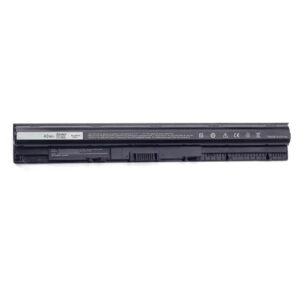 INSPIRON 14 · 15 · 17M5Y1K 40Wh Battery14.8V · 40Wh · 2600mAhFits: 15 5559 / 5558, 17 5755, 14 3452 and more$39.99View battery →
INSPIRON 13 · 15 · 17WDX0R 42Wh Battery11.4V · 42Wh · 3-cellFits: 13 7378, 15 5570 / 5567, 17 7579 and more$39.99View battery →
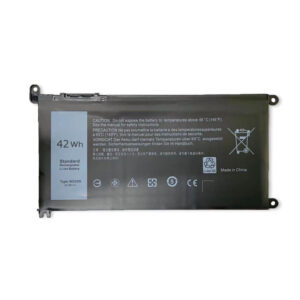 INSPIRON 15 700042Wh Battery for Inspiron 15 757011.4V · 42Wh · 3500mAhFits: 15 7570 / 7573 / 7560 / 7567$39.99View battery →
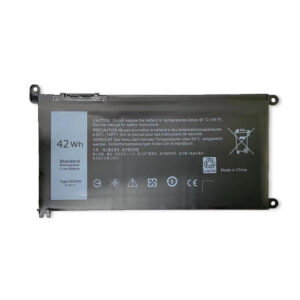 INSPIRON 13 · 14 · 15 · 1742Wh Battery for Inspiron 13 500011.4V · 42Wh · 3500mAhFits: 13 5000 / 7000 plus many 14, 15 and 17 models$39.99View battery →
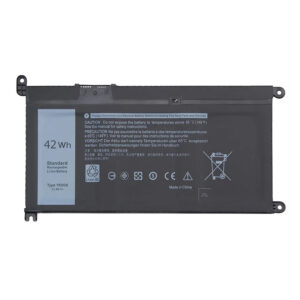 INSPIRON 14 · 15 (3000/5000)YRDD6 42Wh Battery42Wh · 3500mAh · 3-cellFits: 15 5580 / 5590, 14 5480 / 5482, 15 3583 / 3584$59.99View battery →
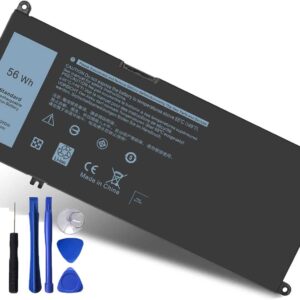 INSPIRON 15 · 17 (7000)33YDH 56Wh Battery56WhFits: 15 7577, 17 7773 / 7778 / 7779 / 7786, Dell G3 · G5 · G7$39.99View battery →
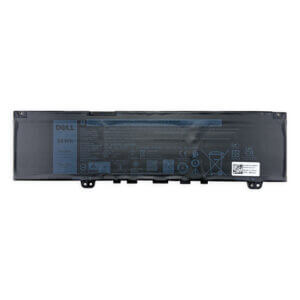 INSPIRON 13F62G0 38Wh Battery11.4V · 38WhFits: 13 5370, 7370, 7373, 7380, 7386$49.99View battery →
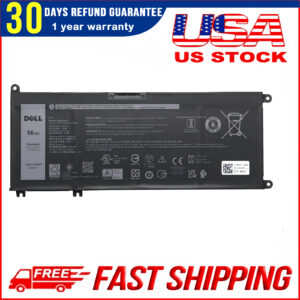 INSPIRON 13 (7000)4WN0Y 56Wh Battery56WhFits: 13 7353, 7577, 7778, 7779$59.99View battery →
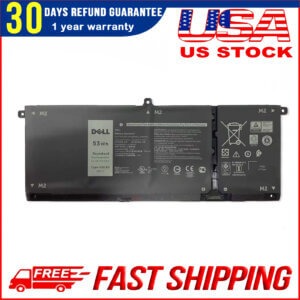 INSPIRON 2-IN-1H5CKD 53Wh Battery15V · 53WhFits: 5400 / 5406 / 7405 2-in-1; 7300 / 7306 / 7500 / 7506 Silver$49.99View battery →
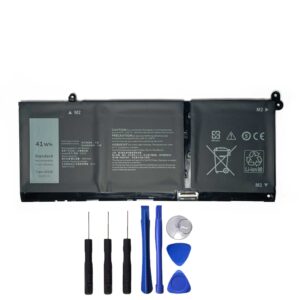 INSPIRON 5000 · 7000G91J0 41Wh Battery11.25V · 41Wh · 3-cellFits: 5418, 5518, 7415 2-in-1$58.99View battery →
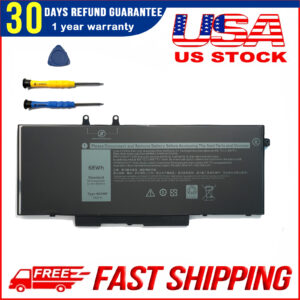 INSPIRON 2-IN-14GVMP 68Wh Battery7.6V · 68WhFits: 7590, 7591, 7791 2-in-1 only$39.99View battery →
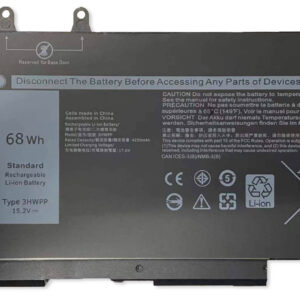 INSPIRON 2-IN-13HWPP 68Wh Battery15.2V · 68WhFits: 7500, 7506 2-in-1 Black Edition$68.99View battery →
Prices from our Dell battery collection, 12 October 2026. The price on the product page at checkout is final.
Inspiron Model Finder
Type your model number (5570, 7590, 5400) or a part number such as WDX0R. The table keeps only the batteries that list it. Clear the box to see all 15.
Swipe the table sideways to see every column →
| Battery | Voltage · capacity | Fits | Price | |
|---|---|---|---|---|
| M5Y1K | 14.8V · 40Wh | Inspiron 14 (3000/5000), 15 (3000/5000), 17 (5000) | $39.99 | View |
| WDX0R | 11.4V · 42Wh | Inspiron 13 (5000/7000), 15 (5000/7000), 17 (7000), 3000 seriesSame part-number family as the two 42Wh listings below. | $39.99 | View |
| Inspiron 15 7570 | 11.4V · 42Wh | Inspiron 15 7570, 7573, 7560, 7567 (also 7580, 7586, 13 7368 / 7378, 14 7460 / 7472)Lists the WDX0R part-number family. | $39.99 | View |
| Inspiron 13 5000 | 11.4V · 42Wh | Inspiron 13 (5000/7000), 14 (3000/5000), 15 (5000/7000), 17 (3000/5000)Longest model list of the 42Wh packs. Lists the WDX0R part-number family. | $39.99 | View |
| YRDD6 | 42Wh · 3500mAh | Inspiron 14 (5000), 15 (3000/5000/7586), 3000 series, 5481 2-in-1 | $59.99 | View |
| 33YDH | 56Wh | Inspiron 15 7577, 17 7773 / 7778 / 7779 / 7786; Dell G3 3579 / 3779, G5 5587, G7 7588The listing gives conflicting voltage figures. Check the product page before you order. | $39.99 | View |
| F62G0 | 11.4V · 38Wh | Inspiron 13 5370, 7370, 7373 (incl. 2-in-1), 7380, 7386 (incl. 2-in-1) | $49.99 | View |
| 4WN0Y | 56Wh | Inspiron 13 7353, 7577, 7778, 7779The listing gives conflicting voltage figures. Check the product page before you order. | $59.99 | View |
| H5CKD | 15V · 53Wh | Inspiron 5400, 5406, 7405 2-in-1; 5300, 5301, 5401, 5402, 5408, 5409, 5501, 5502, 5508, 5509; 7300 / 7306 / 7500 / 7506 2-in-1 (Silver Edition only)7300, 7306, 7500 and 7506 2-in-1: Silver Edition only. | $49.99 | View |
| G91J0 | 11.25V · 41Wh · 3467mAh | Inspiron 5418, 5518, 7415 2-in-1The listing also names several Latitude and Vostro models. | $58.99 | View |
| 4GVMP | 7.6V · 68Wh | Inspiron 7590 2-in-1 (without 2.5-inch drive), 7591 2-in-1, 7791 2-in-12-in-1 versions only. Does not fit the standard 7590, 7591 or 7791. | $39.99 | View |
| 3HWPP | 15.2V · 68Wh | Inspiron 7500 and 7506 2-in-1, Black Edition (also Latitude and Precision models)Black Edition only. Does not fit the Silver Edition. | $68.99 | View |
| 9F4FN | 7.6V · 40Wh · 5000mAh · 2-cell | Inspiron 14 3420 (also Latitude 7320 Detachable) | $49.99 | View |
| MXV9V | 7.6V · 60Wh | Inspiron 7306 (also Latitude 7400, 7300, 5300, 5310) | $67.99 | View |
| Inspiron 1520 / 1720 | 5200mAh · 6-cell | Inspiron 1520, 1521, 1720, 1721Older generation. | $39.99 | View |
Fit data comes from each product listing. Some models appear against more than one battery because the same model shipped with different packs. The part number on your old battery settles it.
Two Inspiron Lines That Need a Second Check
For these models the name alone does not tell you which battery to buy.
Inspiron 7500 / 7506 2-in-1: Black or Silver Edition
Silver Edition: the H5CKD (15V, 53Wh), which covers these four models in Silver only. Black Edition: the 3HWPP (15.2V, 68Wh), which does not fit the Silver Edition. Look at the colour of your laptop before you order.
Inspiron 7590 / 7591 / 7791: standard or 2-in-1
The 4GVMP (7.6V, 68Wh) is for the 2-in-1 versions only. It does not fit the standard 7590, 7591 or 7791, and a 7590 2-in-1 must be the version without a 2.5-inch drive.
Pick Your Inspiron Battery in 3 Steps
Find your exact model
Press Windows + R, type msinfo32 and read System Model, for example "Inspiron 15 5570". The same name is printed on the label under the laptop.
Match the part number
The label on your old battery carries a part number such as WDX0R or YRDD6. One model can ship with more than one pack, so this is the surest match. Can't see the label? Our part number guide shows where to look.
Compare voltage and Wh
Voltage must match exactly. Compare capacity in Wh, not mAh: the same mAh at a different voltage stores a different amount of energy.
Is the Battery Really the Problem?
Two five-minute checks show whether the pack has worn out before you spend anything.
Run a battery report
Open Command Prompt and type powercfg /batteryreport. Open the saved file and compare Design Capacity with Full Charge Capacity. Our lifespan guide puts the replacement point at about 70% of design capacity.
Run Dell's built-in test
Restart and tap F12 at the Dell logo to open the one-time boot menu, then choose Diagnostics. The test includes a battery check. If the laptop simply will not charge, try the not charging fixes first.
Swollen? Stop using it
A bulging case, a raised trackpad or a base that will not sit flat points to a swollen battery, which is a fire risk. Power down, unplug and stop using the laptop. Do not press or puncture it, and have a professional replace the pack. Read what to do immediately.
Fitting Your New Inspiron Battery
Most Inspirons keep the pack inside the base; some older models clip it out the back. The built-in vs removable guide shows which yours is.
Power down
Shut down fully and unplug the charger.
Open the base
Remove the base-cover screws, then lift the cover gently around the edges.
Swap the pack
Disconnect the battery cable first, then unscrew the old pack and fit the new one. Hold the power button for about 5 seconds before you reconnect to drain residual power.
Charge it fully
Close the cover and charge to 100%. The reading may be off for the first few cycles; the setup guide covers it.
A typical swap takes 15 to 45 minutes. For safety notes by model, read the complete replacement guide.
Why Buy Your Inspiron Battery Here
Fit shown before you pay
Every listing names the part numbers and Inspiron models it fits.
Grade A cells, tested
Each battery is tested before it ships.
1-year warranty
A full year of cover against defects, and 30 days to return it.
Free shipping
Orders leave within 2 business days. From the US warehouse, delivery typically takes 2 to 7 business days.
Battery Guides from Our FAQ
Short guides on matching, fitting and caring for a laptop battery.
New to this? Start with Laptop Battery Replacement: The Complete 2026 Guide, or browse all battery FAQs →
Dell Inspiron Battery Replacement FAQ
Can a Dell Inspiron battery be replaced?
Yes. Inspiron batteries are replaceable, and the right pack depends on your exact model and the part number on your old battery. iFixit rates the Inspiron 15 5570 swap Moderate, at 15 to 30 minutes, with the battery under the back cover. Layouts differ by model, so check the built-in vs removable guide, then use the model finder above to pick your pack.
Is it worth it to replace a Dell laptop battery?
Yes, if the rest of the laptop still does the job. A replacement Inspiron battery on this page costs $39.99 to $68.99, far less than a new laptop, and the rule of thumb in our cost guide is to keep the laptop if the battery costs less than 30% of a comparable new one. Dell says to consider a new battery when its health status reads Fair or Poor, runtime falls below 50% of original, the laptop shuts down while showing charge, or the pack is swollen.
How much does it cost to replace a Dell Inspiron battery?
The battery is $39.99 to $68.99 here, and fitting it yourself costs nothing more. If you want a store to fit it, add labor: a Best Buy agent's answer on Best Buy's Q&A page quotes $59.99 plus tax for Geek Squad to install a PC battery you supply, which brings the total to roughly $100 to $130. Other answers on that page disagree, so confirm the fee with your store.
How much does a Dell Inspiron battery cost?
Seven of our 15 Inspiron batteries are $39.99, including the 42Wh WDX0R for Inspiron 13, 15 and 17 and the M5Y1K for the 15 5559. Three are $49.99, including the F62G0 for the Inspiron 13 5370, 7370 and 7380. The other five run from $58.99 to $68.99, and the 3HWPP for the 7500 and 7506 2-in-1 Black Edition is the highest at $68.99. Price follows model and capacity, and the price on the product page at checkout is final.
How long should a Dell Inspiron battery last?
Plan on two to three years. Dell says most users notice shorter battery life after 18 to 24 months, and a lithium-ion pack typically gives 300 to 500 full charge cycles (Battery University). Heat and heavy daily use shorten that. Our lifespan guide lists the warning signs, and every battery here carries a 1-year warranty.
Does Best Buy replace Dell laptop batteries?
On Best Buy's Q&A page, an answer from a Best Buy agent marked as a 2026 update says Geek Squad installs PC batteries, except Apple, for $59.99 plus tax for non-Total members, with you supplying the battery. Other answers there say the service varies or is not offered, and the page gives no official terms. Ask whether they will fit a battery bought elsewhere, or fit it yourself in 15 to 30 minutes.
Is it easy to replace a Dell battery?
On many Inspirons it is a moderate job. iFixit rates the 15 5570 battery swap Moderate at 15 to 30 minutes, using a Phillips #1 screwdriver and opening picks. You remove seven back-cover screws, loosen three captive screws, unclip the cover, disconnect the battery cable and take out four battery screws. iFixit advises discharging the battery below 25% first. Other models differ, so read the complete replacement guide before you start.
Is it OK to leave a Dell laptop plugged in?
Yes. Battery University notes that chargers stop current once the battery is full, so leaving a laptop plugged in is generally safe. If yours lives on a desk, turn on Primarily AC Use in Dell Power Manager where your model offers it: Dell says it keeps the battery from reaching 100% and extends its lifespan. Keep the vents clear so the laptop stays cool.
What kills a laptop battery the most?
Heat. Battery University says elevated temperature, above about 30°C (86°F), does the most damage, and keeping a fully charged battery hot is the worst case. Deep discharges, high loads and ultra-fast charging also wear it down. Dell advises avoiding extreme temperatures and powering the laptop off before it goes into a bag. Do not run it on a bed or pillow, which blocks the vents.
What is the most common problem in a Dell laptop?
For consumer Dells such as the Inspiron, battery wear is the problem owners report most. BGR's July 2026 roundup puts battery lifespan first, citing Reddit users who say these laptops need repeated battery replacements. It also lists motherboard faults on Latitude and Precision and overheating in one batch of Vostro laptops. Dell publishes no official ranking, so treat this as owner reports. A weak battery is the cheapest of these to fix.
What happens if you leave a device plugged in even after it is 100% charged?
The charger stops feeding current and only tops the battery up when its voltage drops, so it is not overcharged. The cost is time spent at full charge, which stresses a lithium-ion cell, especially when warm. Battery University shows a battery stored at 100% for a year keeping about 80% of its capacity at 25°C and 65% at 40°C. That is storage data, not laptop use, but it shows why a cooler laptop and a lower charge ceiling help.
Inspiron Not Listed?
WhatsApp your model number or a photo of the old battery label to +86 184 7563 5423 and we will check it against the full Dell range. XPS 13 owners: Dell XPS battery replacement. Latitude and other lines: Dell Replacement Battery Solutions.
Dell and Inspiron are trademarks of their respective owners. Brand and model names on this page are used solely to indicate product compatibility and are not associated with the respective brands.