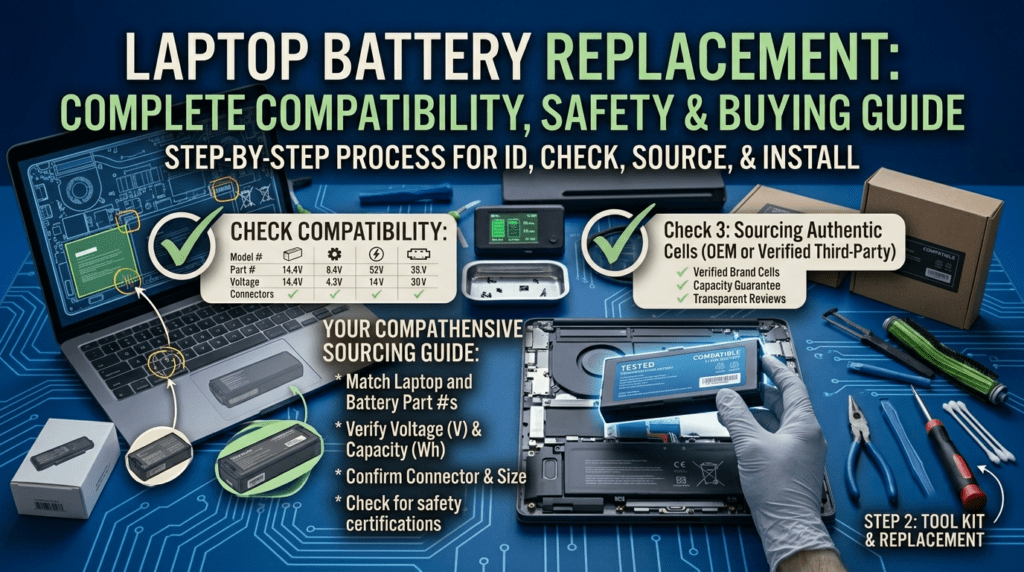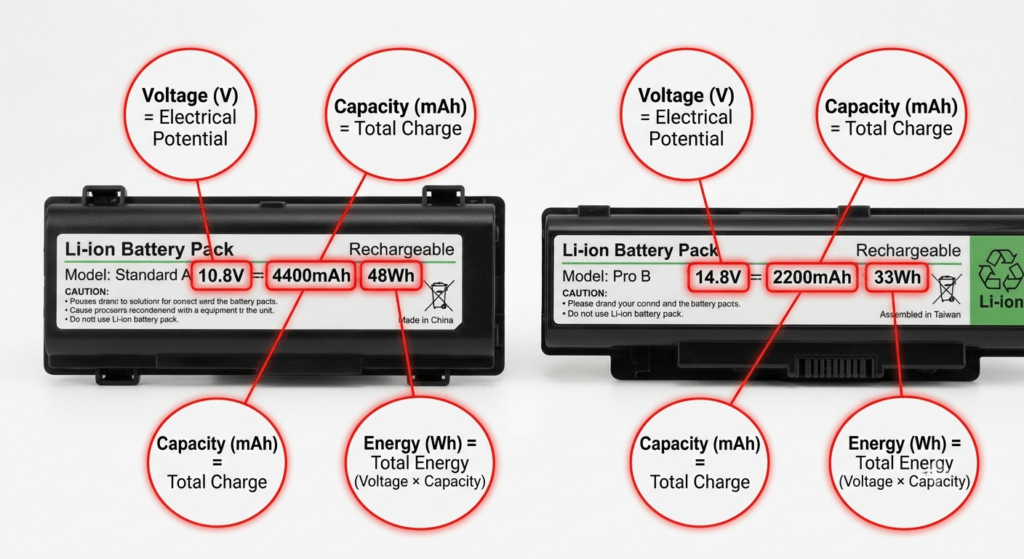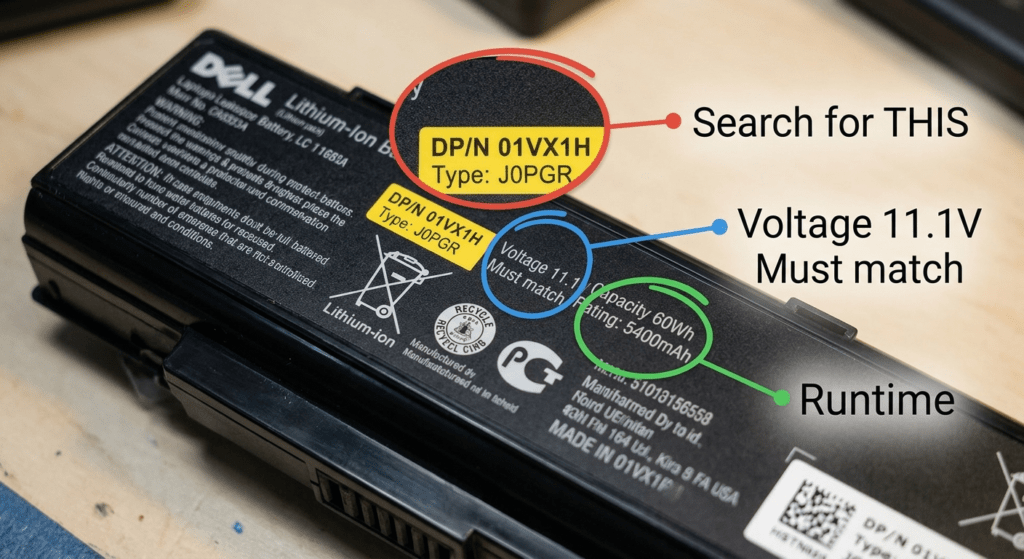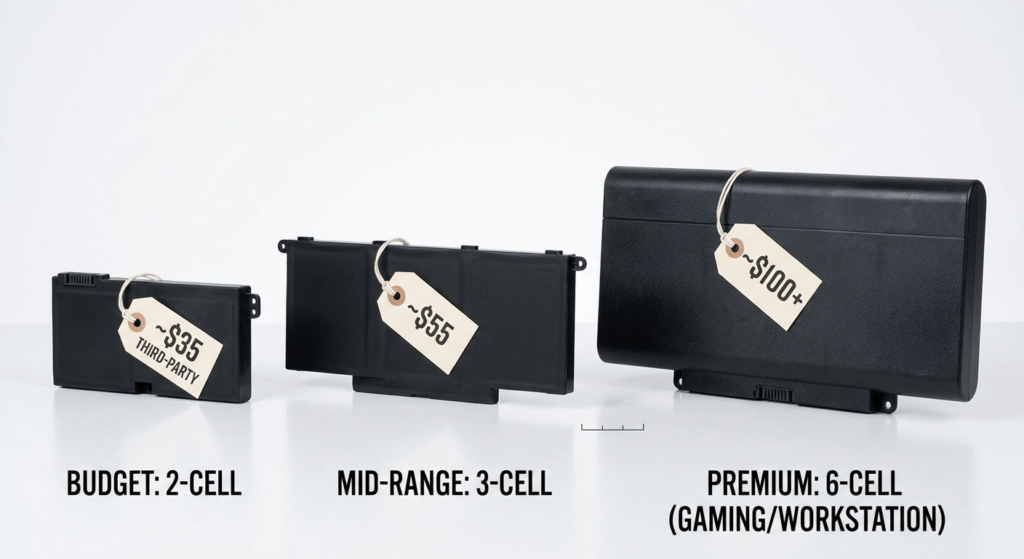
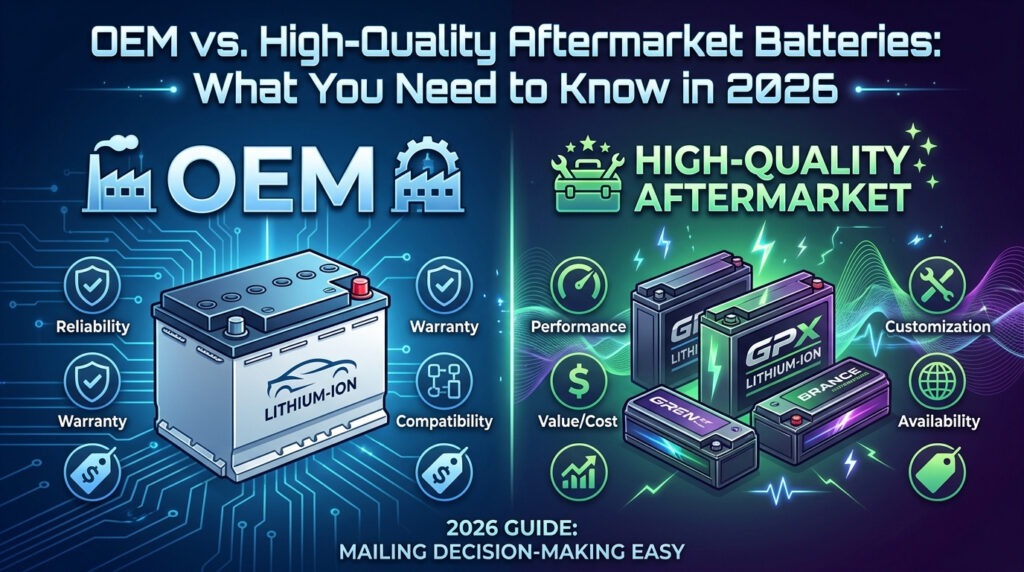
The choice comes down to three things: your budget, your laptop’s age, and how much you trust the seller. This guide breaks down what OEM batteries actually cost to make versus what you pay. What a BMS does and why cheap batteries skip it. Which safety certifications matter and how to spot fake ones. And a simple decision framework that tells you when OEM makes sense and when a quality compatible battery is the smarter buy.
By the end, you’ll know exactly what to look for on a battery label — and what to walk away from.
Part of our Laptop Battery Replacement Guide series. Want to see actual prices? Check our cost comparison by brand.
1. What Are You Actually Paying For?
An OEM battery for a Dell Latitude costs $70–$170 from Dell. A quality compatible version of the same battery — same voltage, same Wh, same fit — costs $39.99. That’s not a typo. The difference isn’t the cells. It’s everything stacked on top of them.
Where the OEM Price Goes
| Cost Layer | Rough Share | What It Pays For |
|---|---|---|
| The cells themselves | ~25% | Lithium-ion cells from Samsung SDI, LG Chem, or Panasonic. These are the same cells used in quality aftermarket batteries. |
| BMS + assembly | ~15% | The protection circuit board, casing, connector, and factory labor. |
| R&D and certification | ~10% | UL/CE/FCC testing, firmware tuning, and model-specific engineering. |
| Brand markup + retail margin | ~50% | The logo on the label. Retail overhead. “Because we can” pricing on a captive audience. |
Half the price of an OEM battery is brand and retail markup. The cells — the part that actually stores energy — cost the same whether Dell or a quality aftermarket brand buys them. Samsung SDI doesn’t charge Dell less for a 18650 cell than they charge a reputable battery manufacturer.
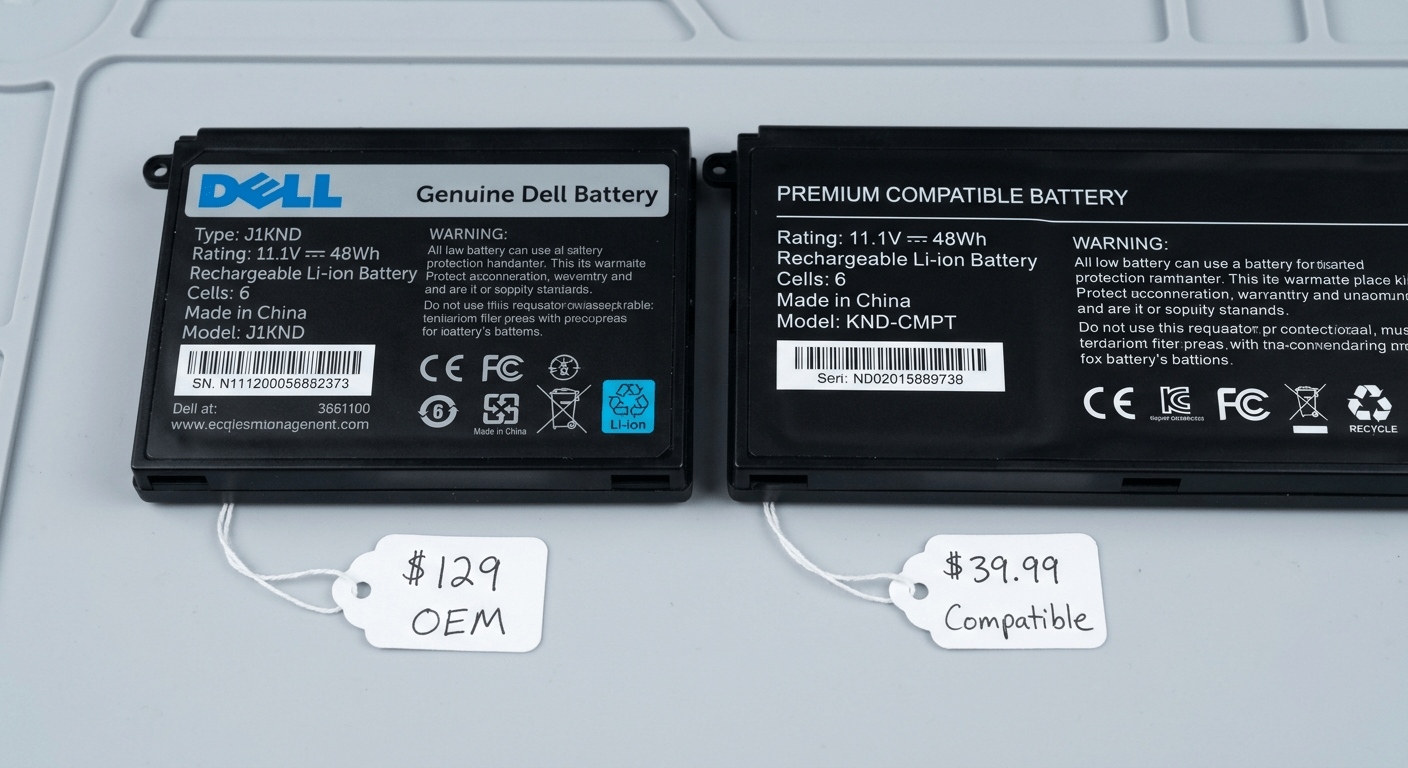
I’ve opened both. Same Samsung 18650 cells inside. One says Dell on the outside. One doesn’t. The laptop can’t tell the difference — it only cares about voltage, capacity, and whether the BMS communicates properly.
2. The BMS: What Cheap Batteries Leave Out
Inside every laptop battery is a small circuit board — the Battery Management System. It’s not optional. It’s the thing standing between your laptop and a thermal event.
Five Things a Proper BMS Does
| Protection | What It Does | What Happens Without It |
|---|---|---|
| Overcharge protection | Cuts off charging when each cell hits its max voltage (4.2V) | Cells overcharge → gas builds up → battery swells |
| Over-discharge cutoff | Stops discharge before cell voltage drops below the safe minimum | Cells drain too far → permanent damage → battery won’t charge again |
| Overcurrent protection | Limits current draw to prevent overheating under heavy load | Gaming or heavy tasks pull too much current → cells overheat |
| Overheat shutdown | Monitors temperature and cuts power if it exceeds safe limits | No thermal cutoff → thermal runaway possible → fire risk |
| Cell balancing | Keeps all cells at the same voltage so they wear evenly | One weak cell drags down the whole pack → capacity drops fast |
Cheap batteries cut corners on the BMS. They might have overcharge protection but skip cell balancing. Or the overheat sensor is present but the firmware was never calibrated. The battery looks fine on day one. By month six, it’s swollen, won’t hold a charge, or worse.
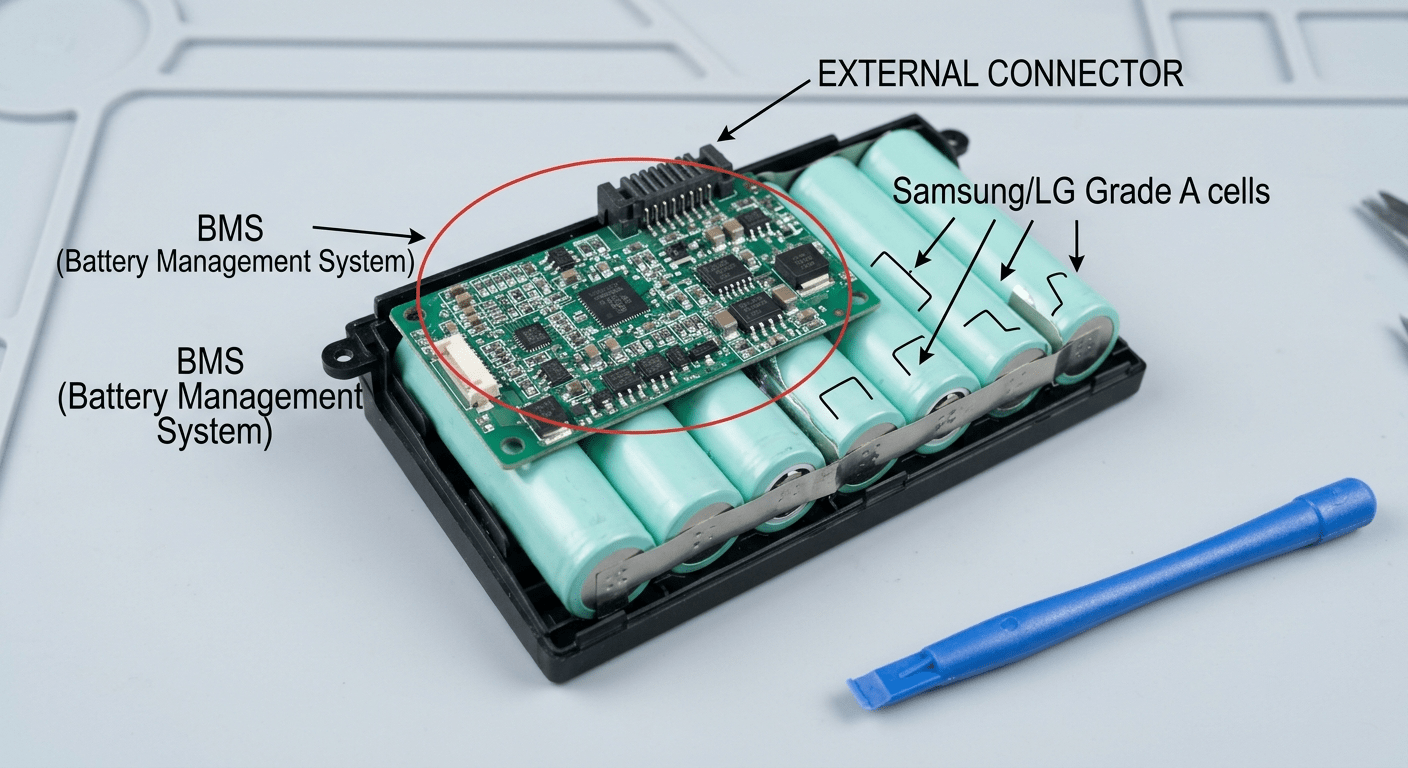
Our batteries use a full 5-function BMS with cell-level monitoring. Every pack gets QC tested before it ships. If the BMS doesn’t communicate properly with the laptop, we catch it — you don’t.
3. Safety Certifications: What the Labels Actually Mean
A battery listing with no cert marks is a red flag. But not all cert marks are real — some are printed on the label without ever being tested.
| Certification | What It Tests | How to Verify It’s Real |
|---|---|---|
| UL 2054 / UL 1642 | Fire, short circuit, overcharge, crush, impact | Look for a UL file number (E######) — you can search it on ul.com |
| CE Marking | EU safety, health, and environmental requirements | Real CE marks have consistent spacing. Fakes often look squeezed or blurry. |
| FCC | Electromagnetic compatibility — won’t interfere with other devices | Should include an FCC ID number, not just the logo |
| RoHS | No lead, mercury, cadmium, or other restricted substances | Often paired with CE. Hard to verify individually — trust the seller’s reputation. |
| UN 38.3 | Altitude, thermal, vibration, shock — required for air shipping | Every legally shipped lithium battery must pass this. If they can’t show the test summary, don’t buy. |
All our batteries carry CE, RoHS, and UN 38.3 certification. The marks are on the label. The test reports exist. If a listing shows no cert marks — or the marks look blurry, misspelled, or oddly spaced — that battery was never tested. Walk away.
4. The Three Tiers of Aftermarket Batteries
Not all aftermarket batteries are the same. Here’s how to sort them.
| Tier 1 — Quality Compatible | Tier 2 — Budget | Tier 3 — No-Name | |
|---|---|---|---|
| Price | $25 – $120 | $20 – $50 | $10 – $25 |
| Cells | Grade A Samsung, LG, or equivalent | Mixed — may include Grade B cells | Unknown. Recycled, reject, or mislabeled. |
| BMS | Full 5-function with cell balancing | 3–4 functions. May skip cell balancing. | Minimal or absent. Often a bare protection PCB. |
| Certs | CE, RoHS, UN 38.3 — verifiable | Some cert marks. May not be verifiable. | Fake, missing, or illegible. |
| Lifespan | 18–24 months | 12–18 months | 6–12 months. If you’re lucky. |
| Warranty | 1 year | 3–6 months | 30 days. If any. |
| Verdict | ✅ Best value — safe, reliable, 40–75% less than OEM | ⚠️ OK for old laptops you don’t rely on | ❌ Avoid. The savings disappear when it fails. |
Our batteries sit in Tier 1. Every pack uses Grade A cells, a full 5-function BMS, and carries CE, RoHS, and UN 38.3 certifications. We offer a 1-year warranty because we expect them to last — not because we hope you won’t use it.
Tier 3 batteries are everywhere online. They’ll say “6600mAh” on a pack that physically can’t hold more than 4400mAh. They’ll show certification logos copied and pasted from a Google image search. They’re $15 because the seller spent $4 making them and doesn’t care if you come back.
5. The Real Cost Over 3 Years
The upfront price is misleading. Here’s what each tier actually costs over three years of use.
| OEM | Tier 1 Compatible | Tier 3 Cheap | |
|---|---|---|---|
| Cost per battery | $90 | $39.99 | $18 |
| Avg lifespan | 2–3 years | 1.5–2 years | 6–10 months |
| Replacements in 3 years | 0–1 | 1 | 3–4 |
| Total spent | $90 | $39.99 | $54–$72 |
| Shipping delays | 0–1 | 1 | 3–4 |
| Installation hassle | 0–1× | 1× | 3–4× |
The Tier 1 compatible costs less than half of OEM and actually beats the Tier 3 cheap battery on total 3-year spend. The cheap battery costs more, wastes more of your time, and you spend three afternoons opening your laptop instead of one.
This isn’t theory. I’ve bought the $18 battery. It worked for about seven months. Then the runtime halved, then the percentage started jumping around, then one day it just stopped charging. The $39.99 replacement I put in after that is still going strong 18 months later.
6. Decision Framework: OEM or Aftermarket?
Here’s the simple logic I use. Ask yourself three questions in order.
| Your Situation | Go With | Why |
|---|---|---|
| Laptop is under 2 years old, still in warranty | OEM | Don’t risk voiding your warranty. Let the manufacturer handle it. |
| Daily driver for work or school, can’t afford downtime | Tier 1 Compatible | OEM safety and reliability at 40–75% less. Just make sure it’s Tier 1. |
| Laptop is 3–6 years old, out of warranty, works fine | Tier 1 Compatible | The best value. OEM stock for older laptops may have degraded on the shelf anyway. |
| Laptop is 7+ years old, casual use only | Tier 2 Budget | You’re just keeping it alive. Don’t overspend — but still avoid Tier 3. |
| Gaming laptop or workstation (high heat, high power draw) | Tier 1 Compatible or OEM | These push batteries harder. A weak BMS will fail under sustained load. |
| Budget is #1, laptop is a secondary device | Tier 2 Budget | Acceptable trade-off. Never Tier 3 — the fire risk isn’t worth the $10 difference. |
Frequently Asked Questions
Are aftermarket laptop batteries safe?
Quality aftermarket batteries with proper certifications (CE, RoHS, UN 38.3) and a full BMS are safe. They use the same Grade A cells as OEM batteries. Cheap no-name batteries without certifications are not — they carry a real fire and swelling risk.
What’s the difference between OEM and compatible batteries?
OEM batteries come from your laptop’s manufacturer with their branding. Compatible batteries are made by third parties to the same specs — same voltage, same Wh, same fit. The cells often come from the same factories. The difference is the brand name and the price.
Do third-party batteries last as long as OEM?
Tier 1 compatible batteries last 18–24 months versus 2–3 years for OEM. That’s 80–90% of the lifespan at 25–60% of the price. Tier 3 cheap batteries last 6–12 months — sometimes less.
What safety certifications should I look for?
UL 2054/1642 (US fire safety), CE (EU safety), FCC (electromagnetic), RoHS (no hazardous substances), and UN 38.3 (transport safety). At minimum, CE + RoHS + UN 38.3. If a listing shows none of these, don’t buy.
Can a cheap battery damage my laptop?
Yes. A battery with a bad or missing BMS can overcharge, overheat, or short circuit. This can damage the charging circuit on the motherboard. In the worst case, thermal runaway can cause a fire. The laptop is worth more than the $15 you saved.
Why are OEM batteries so much more expensive?
Roughly half the OEM price is brand markup and retail overhead. The cells, the BMS, and the assembly cost about the same whether the label says “Dell” or not. You’re paying for the logo, the warranty integration, and the convenience of a single source.
Is it worth paying extra for OEM?
If your laptop is under warranty — yes, go OEM. If your laptop is out of warranty and you buy from a reputable Tier 1 seller — a quality compatible battery gives you 80–90% of the lifespan at less than half the price. That’s usually the smarter buy.
References & Sources
- U.S. Consumer Product Safety Commission (CPSC) — Lithium-ion battery fire and overheating incident data (25,000+ incidents, 2017–2022).
- UL Standards & Engagement — UL 2054 and UL 1642 certification standards for lithium battery safety.
- IATA Lithium Battery Guidance — UN 38.3 transportation safety testing requirements for lithium batteries.
- U.S. Environmental Protection Agency (EPA) — Battery disposal and recycling guidance.
Quality Batteries at Compatible Prices
Every battery we sell is Tier 1 — Grade A cells, full BMS, CE/RoHS/UN 38.3 certified, 1-year warranty. Same specs as OEM, 40–75% less.