
8 iRobot batteries from $59.99 · Roomba 500 to S9+ · Braava Jet M6 mop
Roomba Battery Replacement
Find the replacement battery for your Roomba by model: 500 to 900 series, i, e, j and S9 robots, and the Braava Jet M6 mop. Eight packs from $59.99, with free shipping and a 1-year warranty.
Roomba is a family of robots, and the right iRobot battery depends on the generation you own. The pack for a Roomba 690 does not suit an i7 or an S9, and the Braava Jet M6 mop runs at 10.8V where the Roomba packs run at 14.4V. Whether you are looking for an irobot roomba battery, an irobot roomba battery replacement or an i robot battery replacement, match your model first. Each card names the robots it fits, its voltage and its part numbers, and the finder below takes a model such as 690, i7+, j7+ or S9.
Not a Roomba? The Robot Battery category also holds a Shark vacuum pack, and the section on other robot and vacuum batteries explains what we do and do not carry for LG CordZero and Tineco.
- 🚚 Free shipping
- ↩️ 30-day returns
- 🛡️ 1-year warranty
- 🔒 Secure payment
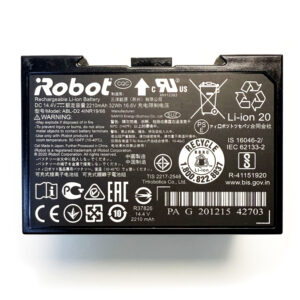
Shown: ABL-D2, for Roomba j7, j7+, i7+ and i8+
iRobot Batteries for Sale: Roomba Replacement Packs
Eight packs in two groups: lithium-ion packs for the newer i, e, j and S9 robots, and packs for the 500 to 900 series plus the Braava Jet M6 mop. Compare the model line on each card with the label on your robot.
Roomba i, e, j and S9 series 4 packs
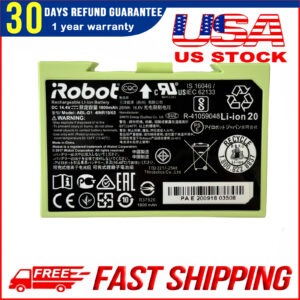 ROOMBA I · E · J SERIESABL-D1 Battery14.4V · lithium-ionFits: Roomba i3, i4/i4+, i7/i7+, i8/i8+, e5 and e6. J-series fit is unclear (see the table notes). Not for Combo.Codes: ABL-D1 · 4INR19/65 · 4INR19/66$59.99View battery →
ROOMBA J7 · I7 · I8+ · E5ABL-D2 Battery14.4V · 32Wh / 2210mAhFits: Roomba i3, i4/i4+, i7/i7+, i8/i8+, e5, e6, j7/j7+ and the Combo j5, j7, j8+ and j9/j9+.Part numbers: ABL-D2 · ABL-D2A · ABL-D2B · ABL-D1 · 4624864$69.99View battery →
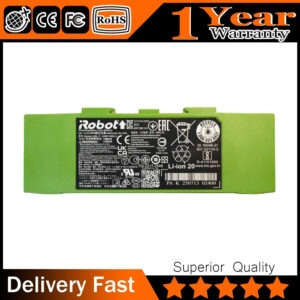 ROOMBA I · E SERIESABL-F Battery14.4V · 64.2Wh / 4460mAhFits: Roomba i1, i2, i3/i3+, i4/i4+, i6/i6+, i7/i7+, i8/i8+, e5 and e6. Not for Combo, S9 or the 500, 600, 800 and 900 series.Codes: ABL-F · 4INR19/66-2$89.99View battery →
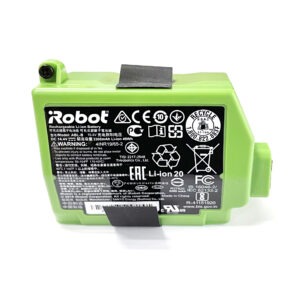 ROOMBA S9 · S9+ABL-B Battery14.4V · 48Wh / 3300mAhFits: Roomba S9 (9150) and S9+ (9550). Not for i, e or j series.Codes: ABL-B · 4INR19/65-2$59.99View battery →
Roomba 500–900 series and Braava Jet M6 4 packs
 ROOMBA 600 · 800 · 900 SERIES4376392 Battery14.4V · 48Wh / 3300mAhFits: 31 named Roomba 600, 800 and 900 series models, among them 690, 890, 960, 980 and 985.Part numbers: 4376392 · 4374392 · 4462425 · 4502233$59.99View battery →
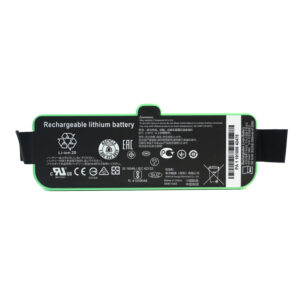 ROOMBA 500 · 600 · 700 · 800 · 9001800LI Battery14.4V · lithium-ionFits: Roomba 500 to 900 series, among them 690, 880, 890, 960 and 981.Codes: 1800LI · 4376392$59.99View battery →
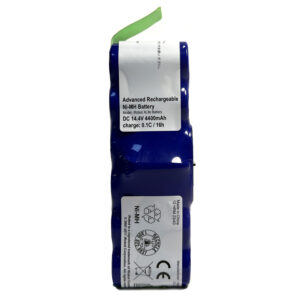 ROOMBA 500 · 600 · 700 · 800 · 900XLife Extended Life Battery14.4V · NiMHFits: Roomba 500 to 900 series, among them 650, 690, 770, 880 and 980. Also names Create 2 and Scooba 450.Part numbers: none listed$59.99View battery →
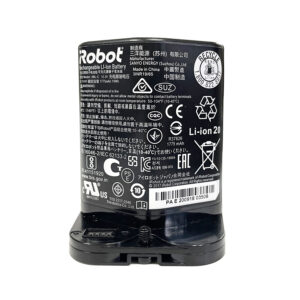 BRAAVA JET M6 MOPABL-C Battery10.8V · 19Wh / 1775mAhFits: Braava Jet M6 (6110, M611020, M612880, M612680, M614480, 6100).Codes: ABL-C · 3INR19/65$79.99View battery →
Prices as shown on the product pages on 19 October 2026; confirm the final price at checkout. Where a pack’s capacity or fit is unclear, the table below says so.
Roomba Battery Finder
Enter a model such as 690, 890 or 980, a newer name such as i7+, e5, j7+ or S9+, or a part code such as ABL-D2 or 4376392. The table keeps only the packs that name it; clear the box to see all eight.
Swipe the table sideways to see every column →
| Battery | Voltage · capacity | Fits | Part numbers | Price | |
|---|---|---|---|---|---|
| ABL-D1 | 14.4V · lithium-ion | Roomba i3, i4/i4+, i7/i7+, i8/i8+, e5, e6; j7/j7+ and j9/j9+ are also named. Not for the Combo seriesCapacity is stated two ways, 4400mAh / 63.36Wh and 1800mAh / 26Wh, and the product page both names J series and calls the pack “not applicable to J series”. Ask us before you order for a j7 or j9. On a third-party dock, charge to at least 10% before use. | ABL-D1, 4INR19/65, 4INR19/66 | $59.99 | View |
| ABL-D2 | 14.4V · 32Wh / 2210mAh | Roomba i3, i4/i4+, i7/i7+, i8/i8+, e5, e6, j7/j7+; Combo j5/j5+, j7/j7+, j8+, j9/j9+The only one of the three i, e and j packs that names Combo models. ABL-D1 is among its part numbers. Its title, table and description name slightly different model sets, so use the finder rather than the headline. | ABL-D2, ABL-D2A, ABL-D2B, ABL-D1, 4624864 | $69.99 | View |
| ABL-F | 14.4V · 64.2Wh / 4460mAh | Roomba i1/i1+, i2, i3/i3+, i4/i4+, i6/i6+, i7/i7+, i8/i8+, e5, e6; J5 to J9 are named in the description. Not for Combo, S9 or the 500, 600, 800 and 900 seriesCapacity is stated as 4460mAh / 64.2Wh in the specs and 3200mAh in one FAQ answer. The description names J5 to J9 while the FAQ excludes Combo j5 and j7, so confirm before you order for a J-series robot. | ABL-F, 4INR19/66-2 | $89.99 | View |
| ABL-B | 14.4V · 48Wh / 3300mAh | Roomba S9 (9150), S9+ (9550)For the S9 and S9+ only. Not for i, e or j series robots. | ABL-B, 4INR19/65-2 | $59.99 | View |
| 4376392 | 14.4V · 48Wh / 3300mAh | Roomba 614, 615, 620, 640, 652, 660, 665, 670, 671, 675, 677, 680, 681, 685, 690, 691, 695, 696, 801, 805, 850, 860, 877, 890, 891, 895, 896, 960, 965, 980, 985Shares the 4376392 part number with the 1800LI, which is stated at a different capacity. The 620 and 660 appear only in the spec table. The product page describes the pack as aftermarket. | 4376392, 4374392, 4462425, 4502233 | $59.99 | View |
| 1800LI | 14.4V · lithium-ion | 500 series (500, 510, 530, 531, 532, 535, 536, 540, 550, 552, 560, 570, 580, 595); 600 series (600, 614, 615, 620, 640, 652, 660, 665, 670, 671, 675, 677, 680, 681, 685, 690, 691, 695, 696); 700 series (760, 770, 780, 790); 800 series (801, 805, 850, 860, 870, 880, 890, 891, 895, 896); 900 series (960, 961, 964, 965, 970, 981)Capacity is stated as 2600mAh, 4400mAh and (for the 4376392 cross-reference) 3300mAh, so confirm it with us. Body text also mentions the 980 and 650, which the compatibility lists omit. Check that your original battery is a 1800LI or 4376392 before you buy. | 1800LI, 4376392 | $59.99 | View |
| XLife Extended Life | 14.4V · NiMH | 500 series (500, 510, 530, 531, 532, 535, 536, 540, 550, 552, 560, 570, 580, 595); 600 series (600, 614, 615, 620, 630, 640, 650, 652, 660, 665, 670, 671, 675, 677, 680, 681, 685, 690, 691, 695, 696); 700 series (700, 760, 761, 770, 780, 790); 800 series (800, 860, 870, 871, 880, R3 Pet); 900 series (900, 960, 965, 966, 980); also Create 2 and Scooba 450Capacity is stated as 3500, 3300 and 3000mAh, so identify the pack by name, not by a number. The title covers the 500 to 800 series and the compatibility section adds the 900 series. The box holds the battery and a user guide. | None listed | $59.99 | View |
| ABL-C | 10.8V · 19Wh / 1775mAh | Braava Jet M6 (6110), M611020, M612880, M612680, M614480, 6100 (a robot mop, not a Roomba)The 6100 appears in the description and FAQ but not in the compatibility table. No runtime figure is given. | ABL-C, 3INR19/65 | $79.99 | View |
A Roomba that is not named in the table, such as the 655 or the 694, is not covered by any of these eight packs. If your model returns no result, message us on WhatsApp with its name.
Roomba Battery Replacement by Model
Looking for the best roomba replacement battery? There is no single best pack, only the best match for your model. Find your robot below to see which packs fit it and what to check before you order.
Roomba 600 series: 690, 650, 655 and 694
For a Roomba 690, choose from three packs: the 4376392 Battery, the 1800LI Battery or the XLife Extended Life Battery. The same three cover the range from 614 to 696, so the choice is between two lithium-ion packs and one NiMH pack. The XLife also names the 650. No pack names the 655 or the 694, so if you need an irobot roomba 655 battery, a roomba 655 battery replacement or a roomba 694 battery replacement, send us the exact model first.
Roomba 700 series battery
For a roomba 700 series battery, you have two options. The XLife Extended Life Battery names the 700, 760, 761, 770, 780 and 790, and the 1800LI Battery names the 760, 770, 780 and 790. The 4376392 names no individual 700 series model (its spec table mentions the 700 series only in a general line), so the finder does not return it for a 700 series number. Ask us if you are weighing it.
Roomba 880 and 890 battery
For a roomba 880 battery, the 1800LI Battery and the XLife Extended Life Battery both name the 880. For a roomba 890 battery or roomba 890 battery replacement, choose the 4376392 Battery or the 1800LI: both name the 890, 891, 895 and 896, and the XLife names none of them.
Roomba 900 series: 960, 980, 981 and 985
Three packs name the Roomba 960: the 4376392 Battery, the 1800LI Battery and the XLife Extended Life Battery. The XLife and the 4376392 name the 980; the 1800LI mentions it only in its body text. Only the 1800LI names the 981, and only the 4376392 names the 985, so a roomba 985 battery replacement has one pack to open.
Roomba i7 and i7+
Three packs name the i7 and i7+: the ABL-D1 Battery, the ABL-D2 Battery and the ABL-F Battery, so a roomba i7 battery replacement is a three-way choice. They differ in capacity: the ABL-D2 is 32Wh and the ABL-F 64.2Wh. For a roomba i7 battery upgrade, compare the Wh figures, and confirm the ABL-F’s capacity with us first, because one FAQ answer on its page quotes 3200mAh. Searching for an irobot 7 battery replacement? The i7 packs above are the ones to compare.
Roomba i8+, e5 and e6
The same three packs cover a roomba i8+ battery replacement: the ABL-D1 Battery, the ABL-D2 Battery and the ABL-F Battery all name the i8 and i8+. For a roomba e5 battery or roomba e5 battery replacement, they also name the e5 and e6. The D2 and F pages give model codes such as e5150 and e6198 that you can compare with the label on your robot.
Roomba j7
Three packs mention the j7. The ABL-D2 Battery names it clearly, and names the Combo j7 too. The ABL-D1 Battery names it but also says it is not applicable to J series, and the ABL-F Battery lists J7 in its description yet excludes Combo j7 in its FAQ. For an irobot roomba j7 battery replacement, the ABL-D2 is the clear choice; confirm the other two with us first. Buying a battery for roomba j7? Check whether yours is a plain j7 or a Combo j7: the ABL-D1 and ABL-F exclude Combo models and the ABL-D2 names them. For roomba j7 replacement parts other than the battery, see the irobot parts note below.
Roomba j7+ and j7 plus
For a j7+ battery replacement, start with the ABL-D2 Battery: it names the j7, j7+ and j7 Plus and the model codes j7550 and j7150. The ABL-D1 and ABL-F are the same two packs to compare as for the j7. Need a battery for roomba j7+, or a replacement battery for roomba j7+? Open the ABL-D2 first.
Roomba j9+ and the j series
For a roomba j9+ battery, the ABL-D2 Battery and the ABL-D1 Battery both name the j9 and j9+, though the ABL-D1 page contradicts itself on J series, and the ABL-F Battery description lists J9 and J9+ too. A roomba j series battery search is the widest: the ABL-F description names J5 to J9, while its FAQ excludes Combo j5 and j7. For any j series robot, send us the exact model before you order.
Roomba S9 and S9+
The ABL-B Battery is the one battery for both the Roomba S9 (9150) and S9+ (9550), and it is not for i, e or j series. Whether you call it a roomba s9 battery, roomba s9+ battery, irobot s9 battery, roomba s9 battery replacement or irobot roomba s9+ battery, this is the pack. Roomba s9 replacement parts, or irobot roomba s9 replacement parts such as brushes and filters, are not in this collection; see the irobot parts note below.
Braava Jet M6 robot mop
The Braava Jet M6 is a mop, not a vacuum. Its ABL-C battery is 10.8V and 19Wh, against 14.4V for the Roomba packs, so it is not a spare for a Roomba. This one pack covers a braava jet m6 battery or braava m6 battery search and names the M6 (6110), M611020, M612880, M612680, M614480 and 6100. It is the battery for braava jet m6 robot mop owners.
XLife extended life battery
The XLife extended life battery is the only NiMH pack on the page. It names the Roomba 500 to 900 series, plus Create 2 and Scooba 450. Capacity is quoted as 3000, 3300 and 3500mAh on the same page, so identify the pack by its name, not by a number.
ABL-D1, ABL-D2, ABL-D2A and ABL-F
ABL codes are battery model names, and they are easy to mix up. The ABL-D1 (the abl d1 battery) and the ABL-D2 (also called abl d2, with abl d2a and ABL-D2B as alternates) both name i, e and j models, and the D2 lists ABL-D1 among its part numbers. The ABL-F is the abl f battery for i and e series; searches for irobot abl d1 lead to the D1 page. If you can read the code on your old pack, matching it is the surest check.
Roomba original battery vs a replacement
A roomba original battery is the one iRobot supplied, and iRobot’s support pages say to use only iRobot batteries. The packs here are independent replacements, so an irobot replacement battery from us, like any irobot battery replacement from a third party, is not a like-for-like iRobot part; the FAQ below explains how to weigh that. Seven of the eight packs are lithium-ion, so a roomba lithium ion battery replacement or an irobot rechargeable li ion battery search leads to most of this page. For any roomba vacuum battery replacement, match your series first; the brand name matters less.
One Roomba Name, Many Batteries
Three points cause most wrong orders. Check them before you pick a pack.
Combo or not?
Newer robots such as the j7 come in a plain version and a Combo version. The ABL-D1 and ABL-F are not for the Combo series; the ABL-D2 is the one that names Combo j5, j7, j8+ and j9. Know which you own before you order.
NiMH or lithium-ion?
Seven of the eight packs are lithium-ion; the XLife is NiMH. iRobot’s maintenance article lists s, j, i, e and 900 Series robots as lithium-ion and links to a page for checking the battery type of other series. Confirm yours before you change chemistry on an older robot.
14.4V or 10.8V?
Every Roomba pack here is 14.4V, and the Braava Jet M6 mop uses 10.8V, so the two never swap. The ABL-B for the S9 and S9+ is also not for i, e or j series robots. If your old pack shows a different voltage, message us before you order.
Other iRobot parts, or a model that is not listed?
This collection holds batteries only. For irobot parts such as brushes and filters, including roomba j7 replacement parts and roomba s9 replacement parts, use the Parts and Accessories section of the iRobot Store, which iRobot’s support pages point to. If your model is not named here, send it to us or browse the complete iRobot collection.
LG CordZero, Tineco and Other Vacuum Batteries
This page covers iRobot. If you came looking for another brand, this is what we carry.
LG CordZero and LG vacuum batteries
An lg cordzero battery, lg a9 cordzero battery or battery for lg cord zero is outside our iRobot range. As of 19 October 2026, the Robot Battery category holds no LG vacuum pack, whether you need an lg cordzero battery replacement, lg cordzero a9 battery replacement, lg cord zero battery, battery for lg cordzero vacuum, lg vacuum battery, lg vacuum batteries or lg cordless vacuum battery. Message us the model and we will tell you whether we can help.
LG batteries for laptops
A plain lg battery, lg batteries, lg battery replacement or lg replacement batteries search is ambiguous. For an LG laptop, use the LG category under Laptop Battery; the Robot Battery category holds robot and vacuum packs only.
Tineco, Shark and other vacuum batteries
As of 19 October 2026, the Robot Battery category holds no Tineco pack, so a tineco battery replacement search will not find one there. It does hold one Shark vacuum pack, the XSBT420 for the WS640, WS642, WS642AE, WV401 and WV403, at $60.99, the only non-iRobot vacuum pack in the category. A term such as robot li ion 20 battery names no model, so match a pack by the model and part number printed on your robot or old battery.
Three Steps to the Right Roomba Battery
Name your robot exactly
“Roomba” covers hundreds of models. Note the number or letter code, such as 690, 980, i7+, e5, j7+ or S9+, and whether yours is a Combo. iFixit’s Roomba 551 page says the model number is printed on the bottom cover, so turn the robot over first.
Match voltage and chemistry
The Roomba packs here are 14.4V and the Braava Jet M6 pack is 10.8V. The XLife is NiMH and the other seven are lithium-ion. Our guide is written for laptops, but the maths carries over: voltage, mAh and Wh explained.
Compare codes and watt-hours
If you can read the code on your old pack, such as ABL-D2 or 4376392, match it. Then compare Wh, not mAh: the ABL-D2 is 32Wh, the ABL-B 48Wh and the ABL-F 64.2Wh. Our part number guide shows the method.
Before You Blame the Battery
A new pack will not fix a clogged brush or a hot room, so rule these out first. The tips come from iRobot’s battery maintenance article.
Is the robot clogged?
Hair and debris make the robot work harder and drain the battery faster. Clear the brushes and the bin, then run it again before you decide the pack has failed.
Is it charged properly?
iRobot asks you to charge at room temperature away from direct sunlight, recharge soon after each use, keep the robot docked when idle and give the battery a full charge at least once every six months.
Is the pack swollen?
iFixit’s i7 guide says to check that the battery is not hot or swollen, and warns that swollen or cracked batteries can be hazardous. If yours is, stop using it. Our swollen battery guide lists the steps.
Swapping a Roomba Battery: What the Job Involves
The steps differ by series. These two iFixit guides show how far an 800 series swap and an i series swap can differ.
Flip it over
Turn the robot onto its back on a flat surface. When you close the cover, iFixit’s 891 guide says to keep the side brush bristles out of the battery door.
Open the right cover
On the 891, two captive 11mm Phillips #2 screws hold the battery door. On the i7, six Phillips #1 screws hold the bottom cover: one in the side brush and five on the cover.
Lift out, drop in
Grip the tabs and pull the 891 pack up; unclip the i7 pack and lift it. Check the contacts for corrosion or debris while the bay is open, then fit the new pack and reverse the steps.
Charge and recycle
iRobot’s i, e, 500 and 600 series battery articles say charging takes at least two hours. Take the old pack to a battery recycling facility rather than the bin, as iFixit’s i7 guide advises.
iFixit rates its Roomba 891 guide Moderate at 5 to 15 minutes; its i7 guide states no rating. Read both: Roomba 891 battery guide and Roomba i7 battery guide.
Why Buy Your Roomba Battery Here
Matched to your model
Every card names the robots it fits, with voltage and part numbers, so you can verify a pack against your robot before you order.
Independent replacements
The batteries we sell are all genuine Roomba batteries and they are shipped in our own packaging when we dispatch them. The quality of the battery is absolutely up to the mark.
1-year warranty
Full protection against defects for one year, plus 30 days to return a pack. The warranty page and the refund policy set out the full terms.
Free shipping
No shipping charge on any of the eight packs. Timings are in the shipping policy.
Guides to Read Before You Order
Our FAQ library focuses on laptops, so there are no Roomba posts yet. These three guides still apply to robot packs.
Browse every battery FAQ in one place →
Roomba Battery Replacement: Questions People Ask
How many years does a Roomba battery last?
At least 2 to 3 years with proper care, according to iRobot’s battery maintenance article. To get there, charge at room temperature and out of direct sunlight, recharge soon after each use, keep the robot docked when idle, and give the battery a full charge at least once every six months. Runtime per charge is a separate matter: product pages quote up to 90 to 120 minutes, but these are supplier figures, not test results, and real runtime depends on the robot and the floor.
Can the battery in a Roomba be replaced?
Yes, on many models. iFixit’s Roomba 891 guide rates the swap Moderate at 5 to 15 minutes: two captive 11mm Phillips #2 screws hold the battery door and the pack lifts out by its side tabs. Its Roomba i7 guide is a longer job, with six Phillips #1 screws, a pry tool if the cover sticks, and an unclip before the pack comes up. Neither guide covers the S9, j7 or Braava Jet M6, so find a guide for your exact model first. iRobot advises using only its own batteries from an authorised retailer; the packs on this page are independent replacements, so ask iRobot first if your robot is under warranty.
How much does it cost to replace the battery in a Roomba?
A replacement Roomba battery costs $59.99 to $89.99, depending on the model. Five packs are $59.99 (the ABL-D1, ABL-B, 4376392, 1800LI and XLife), the ABL-D2 is $69.99, the Braava Jet M6 pack is $79.99 and the ABL-F is $89.99. You need only a screwdriver to fit it. Confirm the final price at checkout, and use the finder above to check that a pack names your model.
How do I tell if my Roomba needs a new battery?
A robot that will not hold a charge, or stops far short of its usual run after a full charge, probably needs a new pack. Rule out the cheap causes first: iRobot says hair and debris make the robot work harder and drain the battery faster, so clean it and charge it at room temperature. Age matters too, because iRobot puts a well-kept battery at 2 to 3 years or more. Then inspect the pack: iFixit’s i7 guide says to check that it is not hot or swollen, and calls swollen or cracked batteries hazardous because of fumes and fire risk. If it is swollen, stop charging it. Our swollen battery guide is written for laptops, but the warning signs are the same.
How do I reset my Roomba battery?
iRobot’s articles describe no separate battery reset. The nearest step is a reboot, which iRobot says is always safe and deletes no maps, schedules or preferences. On a 600 series robot with a green dot under the bin, remove the battery, leave it out for thirty seconds, then refit it. For a lithium-ion robot that has gone flat, iRobot’s 500 and 600 series article says to place it on the Home Base to wake it, then use it right away. A factory reset is different: iRobot says it deletes everything and recommends contacting iRobot Customer Care first.
Is there a way to test a Roomba battery?
You can check its charge, though iRobot’s articles describe no capacity test. On an i Series or e Series robot, press CLEAN once to see the battery status, or open the CLEAN screen in the iRobot HOME app, which shows “Ready to clean. Fully charged” when the battery is full. On a 500 or 600 series robot, the CLEAN indicator shows green for fully charged, amber for partially drained, red for nearly drained and flashing red for drained. For battery health, judge by age, runtime and whether the pack is swollen.
How long does it take a Roomba to charge from a dead battery?
At least two hours under normal conditions, according to iRobot’s battery and charging articles for the 500 and 600 series, the i Series and the e Series. They give no longer figure for a fully drained battery, but note that such a robot can take time to wake: up to one minute on the i Series and up to 30 seconds on the e Series. With a third-party dock, the ABL-D1 page recommends at least 10% charge in the battery first.
How do I force reboot my Roomba?
With the robot off the dock, press and hold the CLEAN or POWER button for roughly 20 seconds, until you see a white light and hear a tune or voice. iRobot’s reboot article says the time varies by model and the reboot can take up to a minute and a half. In the iRobot HOME app, tap the three dots at the top right and choose Reboot Roomba. Non-Wi-Fi 500, 600 and 700 series robots and the e Series use HOME and SPOT held for about 10 seconds, the Roomba Essential about 12 seconds, and the Roomba Combo has a power switch under the top cover: turn it off, wait 10 seconds, turn it on. A reboot deletes no maps or schedules, though non-Wi-Fi models lose their clock setting.
How to tell if dead Roomba is charging?
Watch the lights. On an i Series robot, a pulsing red ring means it is charging but too low to start cleaning, pulsing white means charging and solid white means fully charged. On an e Series robot, the battery indicator pulses while it charges and all indicators turn off within a minute. On a 500 or 600 series robot, the CLEAN indicator pulses red or amber while charging and turns solid green when done, and the Home Base power light blinks about once every four seconds. Some robots switch their lights off after a minute of charging, which iRobot says is normal. If nothing lights, give a fully drained robot a minute to wake.
Roomba Not Listed? Message Us
WhatsApp +86 184 7563 5423 with your robot’s model name, or a photo of the label on the robot or old battery, and we will check what fits. The full range is in the iRobot batteries collection and the wider Robot Battery category.
Every brand name on this page, including iRobot, Roomba, Braava, LG, CordZero, Tineco and Shark, belongs to its owner. We use these names only to show which products a battery suits, and we are not affiliated with any of them.