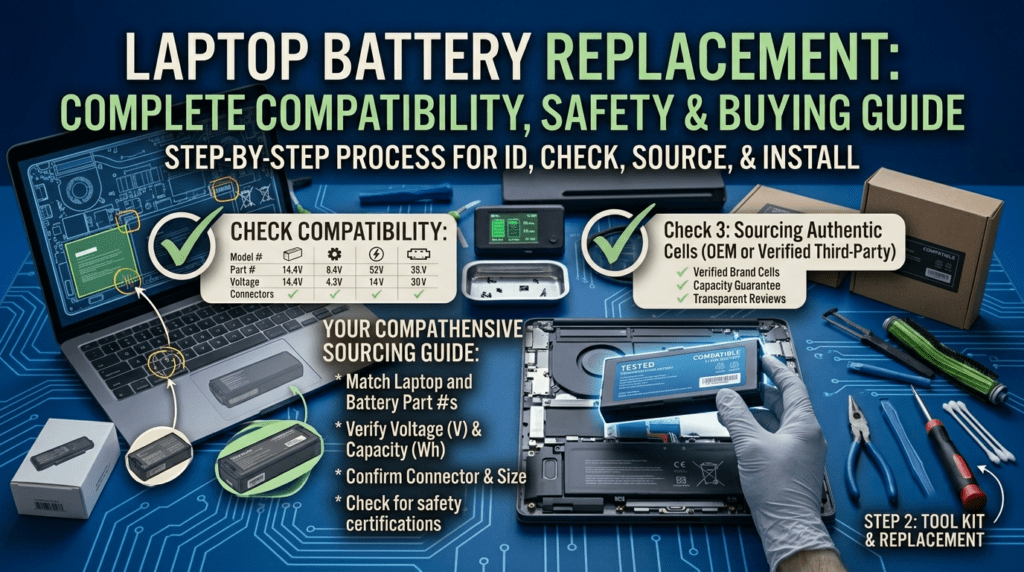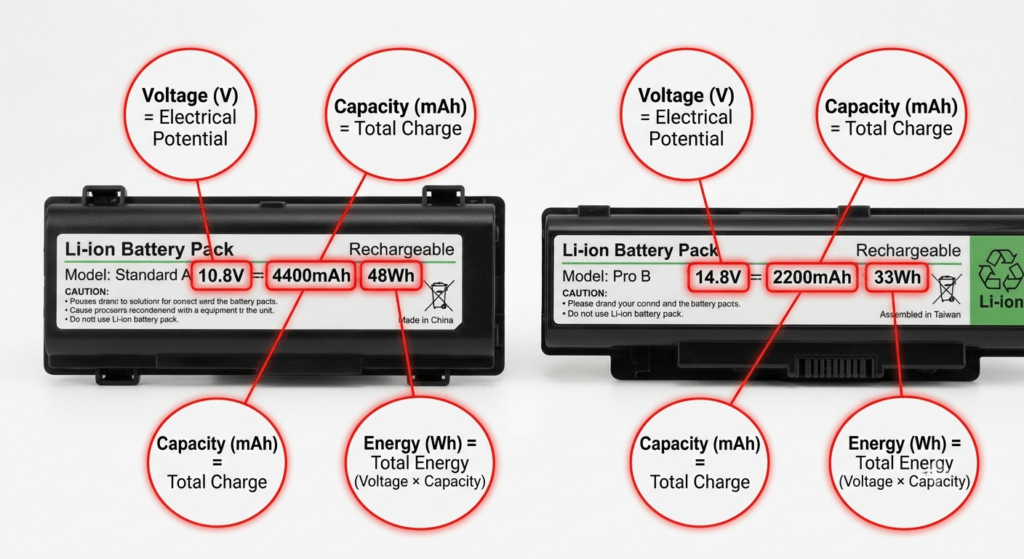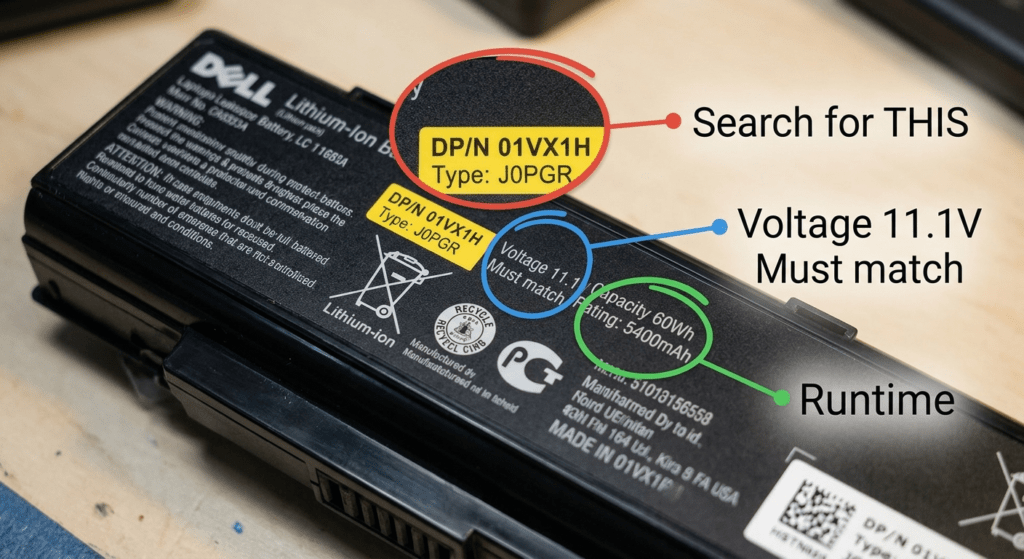
Batteries don’t die suddenly. They lose a little capacity every day. At some point you notice: the laptop dies at 30%, the charger stays plugged in all day, and “2 hours remaining” really means 45 minutes. This guide tells you what’s normal, what’s not, and exactly when to pull the trigger on a replacement.
Part of our Laptop Battery Replacement Guide series.
1. The Numbers: How Long Should a Battery Last?
Two numbers matter. One is years. The other is cycles.
| Metric | Typical Range | What It Means |
|---|---|---|
| Calendar lifespan | 2–5 years | Even if you barely use it, the chemistry degrades over time. A battery sitting in a drawer loses capacity. |
| Charge cycles | 300–500 (most Windows laptops), up to 1,000 (MacBooks) | After 300–500 cycles, capacity typically drops to about 80% of the original. After 500+, it falls off faster. |
The “or whichever comes first” part matters. A 4-year-old battery with 150 cycles might be worse than a 1-year-old battery with 400 cycles. Age alone degrades the chemistry — even if you treat the battery perfectly.
Usage Pattern vs Lifespan
| User Type | Habits | Typical Lifespan |
|---|---|---|
| Heavy user | Full discharge daily, runs on battery 8+ hours, charges to 100% every night | 18–24 months |
| Moderate user | Partial discharges, plugged in half the day, occasional full cycle | 2–3 years |
| Light / desk-bound user | Mostly plugged in, charge capped at 80%, rare deep discharges | 3–5 years |
I’ve seen a 5-year-old ThinkPad battery at 88% health — the owner kept it plugged in at an 80% charge limit its entire life. I’ve also seen a 14-month-old gaming laptop battery at 52% — full discharge every day, kept on a blanket with the vents blocked. Same chemistry. Different habits. Completely different outcome.
2. What’s a Charge Cycle? (It’s Not One Plug-In)
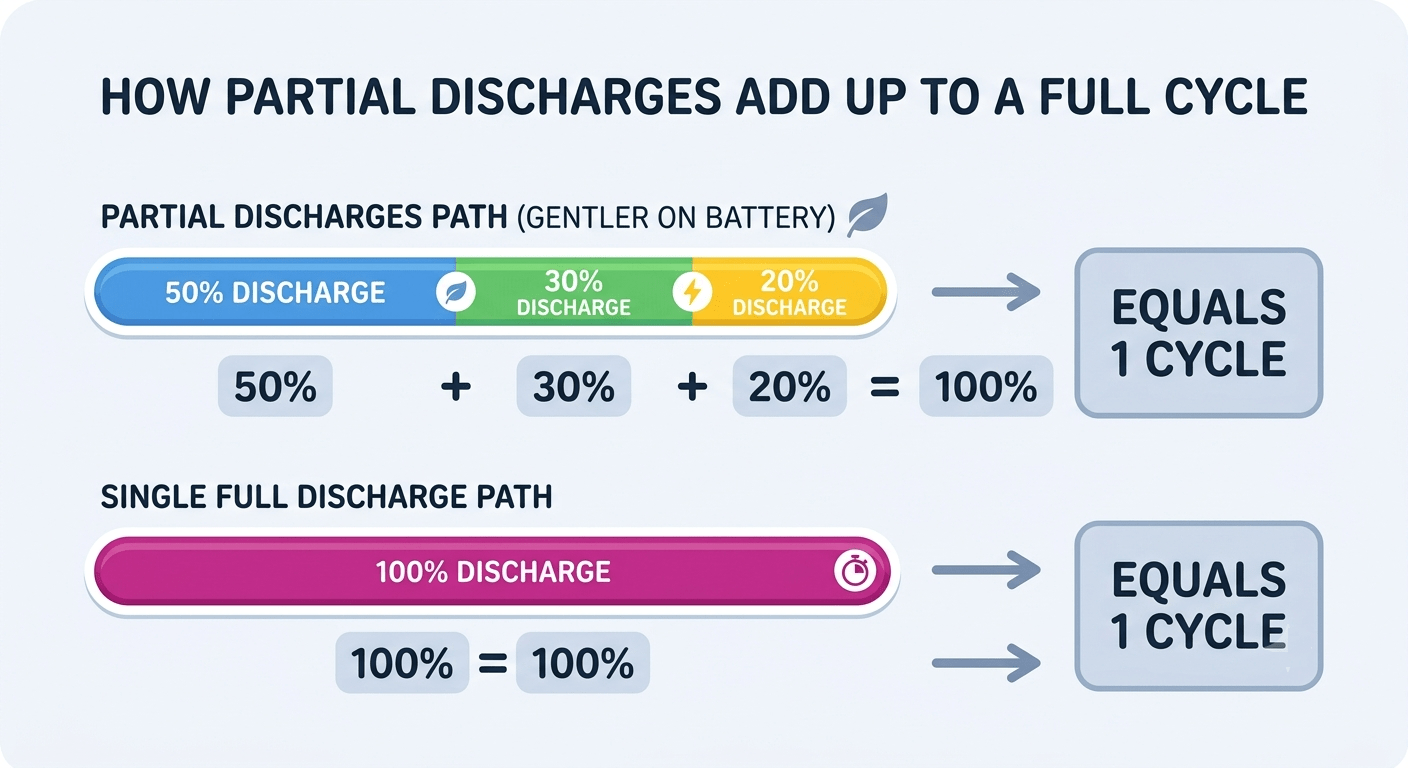
A charge cycle is the cumulative discharge of 100% of the battery’s capacity. Not one plug-in. Not one charge. Here’s how it works:
Day 1: You use 90% of the battery, then charge overnight → 0.9 cycles
Day 2: You use 10%, then charge → 0.1 cycles
Total: 1 full cycle over two days
Two partial discharges added up to one cycle. The battery doesn’t care whether you drain it 100% in one go or 10% at a time over ten days — it’s the same wear on the cells.
This is why the 20–80% habit works. Draining from 100% to 0% in one shot stresses the cells more than ten partial drops from 80% to 60%. Same total energy used. Less damage to the chemistry.
3. How to Check Your Battery Health (30 Seconds)
Stop guessing. Windows gives you hard numbers in 30 seconds.
- Right-click Start → Command Prompt (Admin) or Terminal (Admin).
- Type
powercfg /batteryreportand press Enter. - It saves an HTML file. The path is in the output. Open it in any browser.
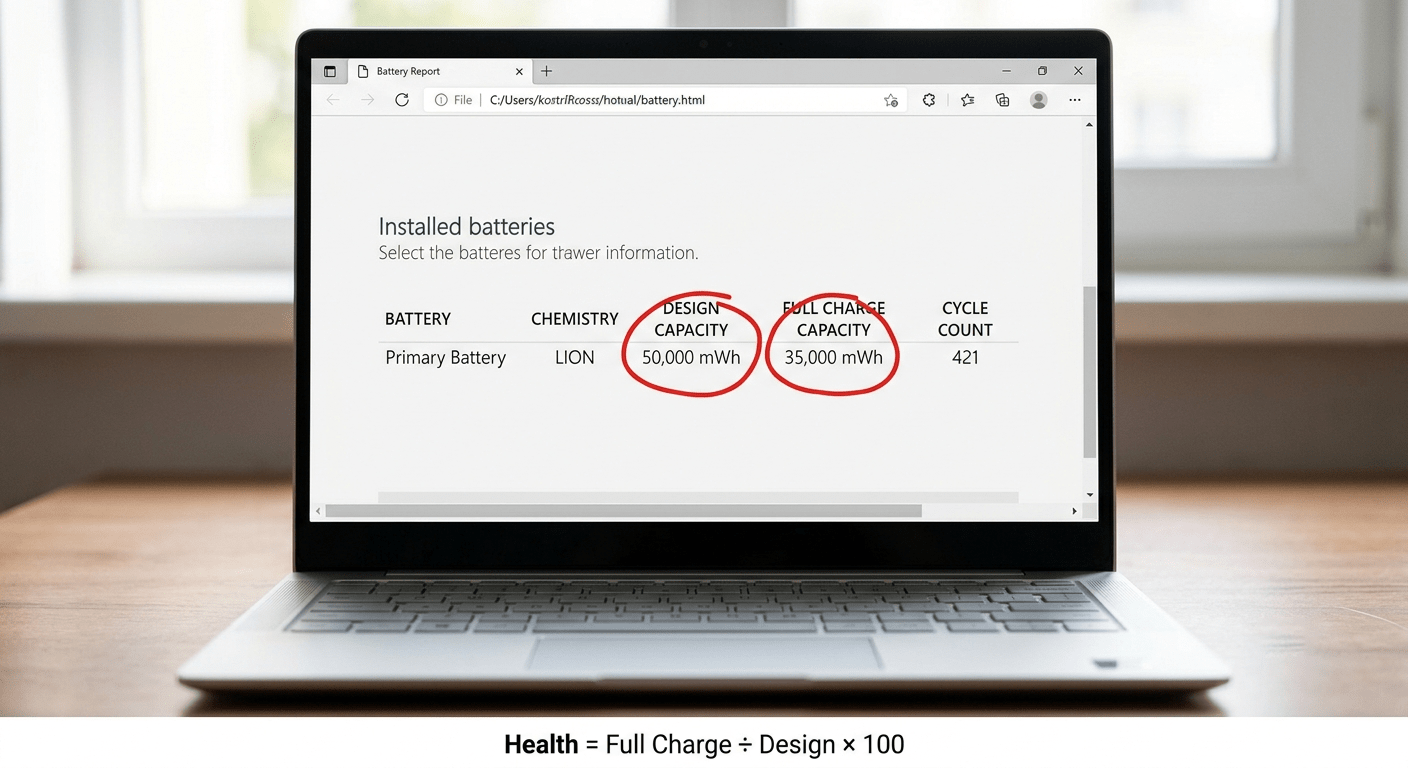
Scroll down to “Installed batteries.” You’re looking at two numbers:
| Number | What It Means |
|---|---|
| Design Capacity | How much energy the battery held when it was brand new (in mWh) |
| Full Charge Capacity | How much it can hold right now at 100% charge |
Health % = Full Charge ÷ Design × 100
Example: Design = 48,000 mWh. Full Charge = 34,000 mWh. That’s 71% health.
What Each Range Means
| Health % | Status | What to Do |
|---|---|---|
| 80–100% | Normal aging | Nothing. Check again in 3–6 months. |
| 60–80% | Noticeable degradation | Start planning. You’ve got months, not years. |
| Below 60% | Significant capacity loss | Time to replace. The battery is running on fumes. |
 Mac users: Hold Option → click Apple menu → System Information → Hardware → Power. Look at Cycle Count and Condition. “Service Battery” means it’s time.
The battery report also shows your cycle count and a usage history graph. If the graph looks like a ski slope — steep drop over the last few months — the battery is degrading faster than normal. Something changed. Heat, a bad charger, or just age catching up.
4. 7 Warning Signs It’s Time to Replace
The battery report gives you numbers. These symptoms tell you what it actually feels like to use a dying battery. One symptom — keep an eye on it. Two or more — order a replacement.
| Symptom | What It Means | Urgency |
|---|---|---|
| 1. Runtime under 2 hours | Capacity has dropped past the point where the battery is useful for a work session | Replace |
| 2. Sudden shutdowns at high % | Cells can’t hold voltage under load. The BMS reports 40%, but the cells sag to 0% when the CPU draws current. | Replace soon |
| 3. “Plugged in, not charging” | Could be a driver or threshold setting — try those first. If it persists, the battery has failed. | Troubleshoot first, then replace |
| 4. Battery report under 70% health | You’ve used up most of the usable life. Below 50% is critical. | Plan to replace |
| 5. Only works on AC power | Battery can’t deliver any current. It’s dead. | Replace now |
| 6. Case bulging, trackpad lifting | Battery is swollen — gas buildup from failing cells. Fire hazard. | 🚨 Stop using. Replace immediately. |
| 7. Overheating at idle | Degraded cells generate more internal resistance → more heat. Combined with short runtime, this is a clear signal. | Replace soon |
Symptom 6 — swelling — is in its own category. The other six are about performance and convenience. Swelling is about safety. If your laptop case is bulging or the trackpad is lifting, stop using it and read this.
5. What Accelerates Battery Degradation?
Some degradation is unavoidable. These four things make it worse — and they’re all within your control.
| Killer | How It Hurts | Fix |
|---|---|---|
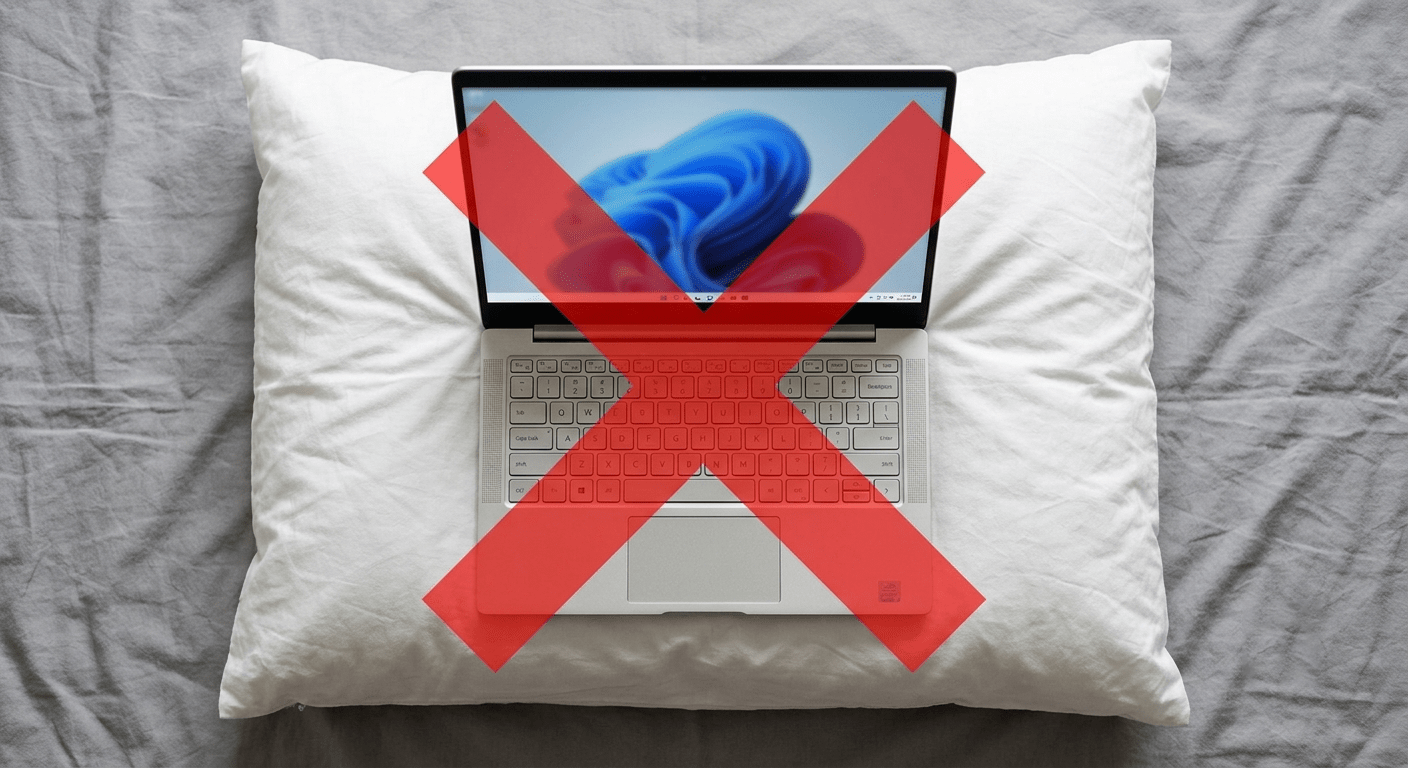
| 🔥 Heat (above 95°F / 35°C) | Permanently damages the electrolyte. Every 15°F above room temp cuts lifespan roughly in half. | Use on hard surfaces. Clean vents. Don’t leave in a hot car. |
| ⚡ Deep discharges (100% → 0%) | Stresses cells at both extremes. The voltage swing from full to empty accelerates wear. | Charge at 20–30%. Don’t drain to 0% unless calibrating. |
| 🔌 Sitting at 100% for days | Keeps cells at maximum voltage stress. Lithium-ion hates sitting at full charge. | Set a charge limit to 60–80% if you’re plugged in most of the time. |
| 🔋 Wrong charger wattage | An underpowered charger forces the battery to supplement power — cycling it unnecessarily. | Use a charger that matches or beats the original wattage. |
6. Replace Now vs Wait: A Simple Framework
Not every degraded battery needs replacing today. Here’s how to decide.
| Your Situation | Recommendation |
|---|---|
| 2+ warning signs + battery report under 70% | Replace now. The battery is failing and it won’t get better. |
| 1 warning sign + report at 75–85% | You’ve got time. Start shopping. Replace when it bothers you. |
| Report at 60–70%, mostly plugged in anyway | Can wait. If you rarely use battery power, the degradation doesn’t affect you much. |
| Swelling or bulging — any degree | 🚨 Stop using the laptop. Replace immediately. This is not negotiable. |
I kept a battery at 62% health for almost a year because my laptop stayed plugged in 90% of the time. For the occasional meeting in a conference room, 45 minutes of runtime was enough. If I traveled every week, I would’ve replaced it at 75%. Your tolerance for short runtime sets the threshold — not an arbitrary number.
Frequently Asked Questions
How long does a laptop battery last?
2–5 years or 300–500 charge cycles, whichever comes first. Heavy users who drain the battery daily get 18–24 months. Light users who keep the battery at 80% and stay plugged in can get 4–5 years.
How many charge cycles does a laptop battery have?
Most Windows laptop batteries are rated for 300–500 cycles before capacity drops to about 80%. MacBooks are rated for up to 1,000 cycles. A cycle is the cumulative discharge of 100% — not one plug-in.
What is a charge cycle?
A charge cycle is the total discharge of 100% of the battery’s capacity — not one charge. Using 60% one day and 40% the next equals one cycle. Partial discharges are healthier for the battery than draining it to 0% in one shot.
How do I check my laptop battery health?
Windows: run powercfg /batteryreport in Command Prompt as admin. Compare Design Capacity to Full Charge Capacity in the report. Mac: System Report → Power → Cycle Count and Condition. Health below 70% means it’s time to plan a replacement.
What are the signs my laptop battery needs replacing?
Runtime under 2 hours, sudden shutdowns at 30–50%, battery report under 70% health, laptop only works when plugged in, case is bulging, or the laptop overheats at idle. Two or more signs — replace.
At what percentage should I replace my laptop battery?
When the Full Charge Capacity drops below 70% of Design Capacity, start planning. Below 60%, replace it. Below 50%, you’re running on borrowed time — the battery can fail unpredictably.
Can a laptop battery last 5 years?
Yes — if you keep the charge between 20–80%, cap charging at 80% when plugged in, avoid heat, and rarely do full discharges. Most batteries won’t last that long under normal use, but it’s possible with disciplined habits.
Why does my laptop battery die so fast?
The most common causes: the battery is old and degraded (check with powercfg), background apps are draining power (check Task Manager), or the battery needs calibration (charge to 100%, drain to 0%, recharge).
Is it bad to leave my laptop plugged in all the time?
It’s not ideal. Sitting at 100% charge keeps the cells at maximum voltage stress, which accelerates degradation. If your laptop stays plugged in most of the time, set a charge limit to 60–80% in your manufacturer’s power app.
Can I keep using a degraded battery?
Yes — as long as it’s not swollen. A degraded battery just gives you less runtime. If you mostly use your laptop plugged in, a battery at 60% health still works fine as a backup. Replace it when the short runtime bothers you, or when it starts shutting down unexpectedly.
References & Sources
- Microsoft Support — Windows battery care and powercfg /batteryreport documentation.
- Apple Support — MacBook battery cycle count and health monitoring.
- U.S. Consumer Product Safety Commission (CPSC) — Lithium-ion battery safety data.
Battery Report Looking Bad? Time to Replace.
Browse quality replacement batteries for Dell, HP, Lenovo, ASUS, and more. All Tier 1 — Grade A cells, full BMS, 1-year warranty.