
ASUS Laptop Battery Replacement Solutions — The Exact Battery for Your Model & Part Number
If you're looking for a real ASUS replacement battery that fits, we offer 23 different ASUS laptop battery options that have been tested, covering the ROG, TUF Gaming, VivoBook, ZenBook, and Expert Book series from gaming packs to productivity batteries. All of the batteries come with a 1-year limited warranty, are bench-tested before being shipped, and use Grade A cells along with a 4-layer protection BMS. Since shipping is free on every order, the lowest price is $42.99.
Shop All ASUS Replacement Batteries →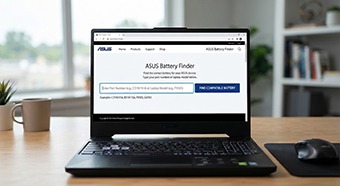
Type your part number (C31N1914, B31N1726…) or laptop model (FX505, GA502…) below.
What Is an ASUS Laptop Battery Replacement and How Does It Work?
Here's the short answer: We sell the high-quality ASUS replacement battery for $42.99 to $129.99, and you can match it using the part number that is printed on the battery's label, such as C31N1914, B31N1726, or C41N1837, rather than just the laptop's name. A near-match with the incorrect connector will not charge at all because ASUS reutilizes similar part numbers across extremely different devices.
Cells + BMS, Recognized by ASUS
Every pack combines lithium-ion/polymer cells with a BMS (battery management system) chip that reports charge state, temperature and wear to the ASUS charging circuit. The replacement must match the original's voltage rail and cell count — that's why an ASUS OEM battery for a ROG Strix won't power a VivoBook, even when the plug looks similar.
Same part number = same voltage, connector and charge profile.
Match by Part Number, Compare by Wh
ASUS part numbers follow families: B31N/B31Nxxxx for VivoBook-class packs, C31Nxxxx for thin-and-light (ZenBook, ExpertBook), C41Nxxxx for ROG/gaming cells. Find yours on the battery label, in the MyASUS app, or via a Windows battery report (powercfg /batteryreport). Compare capacity in watt-hours (Wh) — mAh alone means nothing without voltage.
Tip: 42Wh at 11.4V and 42Wh at 15.4V are different packs.
Grade A Cells, 4-Layer BMS Protection
All batteries listed here use Grade A premium cells and a multi-protection safety circuit covering overcharge, over-discharge, short circuit and overheat, plus UL/CE certification. Each unit is bench-tested before packing and covered by the 1-year limited warranty against manufacturing defects.
Swollen or damaged packs are a fire hazard — replace immediately.
Real examples: the B31N1726 for TUF FX504/FX505/FA506 is $42.99 (was $159.00), the C41N1837 for ROG Zephyrus GA502/GU502/GX502 (15.4V, 76Wh) is $89.00 (was $126.00), and the C31N2313 for the ExpertBook P5 P5405 (11.61V, 63Wh) is $119.99 (was $339.00). Installing takes 15–45 minutes with a screwdriver and plastic pry tool on most models — shut down, unplug, swap, then run 2–3 full charge cycles so the percentage readout calibrates.
Before You Buy: What the Warranty Does Not Cover
Ordering by the wrong part number or model is the #1 mistake — and the 1-year limited warranty excludes "wrong part number or wrong model ordered by the customer," along with normal capacity decline, incorrect installation, damage from drops/water/overheating, and customer-opened packs. Non-defective returns are allowed within 30 days, but the buyer pays return shipping. If you're unsure which battery fits, email support@replacementbatterymall.com with your model and part number before ordering.
ASUS Battery Models by Series — Find Your Compatible Replacement
Pick your series below. Every card shows the real battery part number, specification and current price from our ASUS battery replacement collection.
Looking for an older pack — like the A32-F82 battery for K50-series machines or an ASUS Eee PC 900 battery? See the FAQ below for part numbers, then search the finder by part number or email support@replacementbatterymall.com.
ASUS Replacement Battery Comparison — Real Specs & Prices
Nine popular ASUS laptop battery replacements side by side. Voltages run from 11.4V (TUF/VivoBook packs) to 15.56V (ROG handhelds and OLED VivoBooks), capacities from 42Wh to 80Wh.
| Battery Model | Fits ASUS Series | Voltage | Capacity | List Price | Sale Price | You Save |
|---|---|---|---|---|---|---|
| B31N1726 | TUF FX504 / FX505 / FA506 | 11.4V | 48Wh | $42.99 | 73% | |
| C41N1712 | ROG GX501 Zephyrus | 15.4V | 50Wh | $42.99 | 77% | |
| C41N2208 | ROG RC71L Handheld (2023) | 15.48V | 74Wh | $52.99 | 75% | |
| C41N2311 | ROG Ally X RC72LA Handheld | 15.56V | 80Wh | $68.00 | 31% | |
| C41N1837 | ROG Zephyrus GA502 / GU502 / GX502 | 15.4V | 76Wh | $89.00 | 29% | |
| C31N1914 | ZenBook 13 UX425 · 14 UX435 · UM425 | — | — | $89.99 | 30% | |
| A32-K56 | V550C / S46CA / S56CA / S405CA | — | — | $49.99 | 50% | |
| C41N2306 | VivoBook S 15/16 OLED · Zenbook UM3406 | 15.56V | 75Wh | $129.99 | 59% | |
| C31N2313 | ExpertBook P5 P5405 | 11.61V | 63Wh | $119.99 | 65% |
Prices and specs as shown on replacementbatterymall.com on September 12, 2026. "—" means the listing does not state that value. See all 23 models in the ASUS laptop battery replacement collection.
Compatible ASUS Laptop Series
From the 15.56V 80Wh ROG Ally X pack down to the 42Wh VivoBook cells, every series has a tested replacement in stock.
ROG & Zephyrus
8 models
G751, GX501, GM501/GU501, GA502/GU502/GX502, Strix G15/G17 & Scar, Zephyrus G14 GA402, plus RC71L and ROG Ally X handhelds. Popular pick: C41N1837 $89.00 · C41N1712 $42.99
TUF Gaming
3 models
FX504, FX505, FX506, FA506, FA706, FX80/FX86, A15, A17. Popular pick: B31N1726 $42.99 · C41N1906-1 $69.99
VivoBook
9 models
A712EA/K712EA, F510, E410M/L410M/E510MA, S14 S430/X430, Flip 14 TM420IA, Flip TP470EA, VivoBook 14/15/16, S 15/16 OLED, S531. Popular pick: C31N2201 $59.99 · B31N1637 $49.99
ZenBook & ExpertBook
2 models
ZenBook 13 UX425, ZenBook 14 UX435, UM425QA, and the ExpertBook P5 P5405 (11.61V, 63Wh). Popular pick: C31N1914 $89.99 · C31N2313 $119.99
K & S Series
1 model
V550C, V550CA, S46CA, S56CA, S405CA take the A31-K56 / A32-K56 / A41-K56 / A42-K56 pack — the same battery family used by the K56C/K56CA generation. A32-K56 $49.99
Legacy Packs
A32-F82 · Eee PC · TP300L
Older packs like the A32-F82 battery (K40/K50/K60 series) or an ASUS Eee PC 900 battery aren't in the current ASUS collection — but identifying them is the same job: read the part number on the label, then search the finder or email support@replacementbatterymall.com. See the FAQ below for exact part numbers for the A32-F82, Eee PC 900 and TP300L / Q302L.
Why Buy Your ASUS Laptop Battery Replacement From Us
1-Year Limited Warranty
Covers manufacturing defects — battery won't charge, won't hold charge, isn't recognized, or doesn't perform as described.
Free Shipping, Every Order
No minimums, no handling fees. US stock delivers in 2–7 business days; China stock in 7–15 business days.
30-Day Returns
Defective, damaged or wrong items reported within 72 hours get a free replacement or refund. See refund policy.
Verified-Fit Support
Not sure which ASUS battery you need? Email support@replacementbatterymall.com with your model and part number before ordering.
Quality & Safety — Every ASUS Battery Tested Before Shipment
The same quality program behind every battery on our site: Grade A cells, a 4-layer protection circuit, UL/CE certification, and bench testing before packing.
Multi-Protection BMS Safety Circuit
Every pack carries a BMS with four protection layers:
- Overcharge protection
- Over-discharge protection
- Short-circuit protection
- Overheat protection
Tested, Then Warranted
Each battery is bench-tested before packing and shipment. If a manufacturing defect appears within a year — the battery cannot charge normally, cannot hold charge, is not recognized, or does not perform as described — contact us for a replacement, refund or another reasonable solution.
ASUS Battery Tools — Finder, Health Check & Savings
Three quick tools to match your battery, judge your current one, and see what you save.
Type a part number (e.g. C31N1914, B31N1726) or a laptop model (e.g. "FX505", "GA502", "UX435") and pick a series:
Type to search all 23 ASUS batteries.
Tick everything that applies to your current ASUS battery:
Pick any ASUS battery to see the current price, original list price and your savings:
ASUS Laptop Battery Replacement FAQ
The questions below come from what people actually ask Google about ASUS batteries — answered with our real products and policies.
Related Battery Guides
Deeper guides from our FAQ blog — everything above links back to these.
Laptop Battery Replacement: The Complete 2026 Guide
Signs of failure, choosing OEM vs. aftermarket, DIY steps, and when to call a pro — the full walkthrough.
Read guide →How to Find the Correct Laptop Battery by Part Number
Why one ASUS laptop can take several different batteries — and how the printed part number settles it.
Read guide →How to Replace a Laptop Battery: Compatibility, Safety & Buying Guide
15–45 minute swaps with basic tools, including internal batteries — the same process for ASUS, HP and Dell.
Read guide →Laptop Battery Replacement Cost: Dell, HP, Lenovo & ASUS Compared
What replacement parts and installation actually cost across brands — expect $50–$100 for most mainstream laptops.
Read guide →Laptop Battery Not Charging? 8 Fixes That Actually Work
Most "plugged in, not charging" problems take under 10 minutes to fix — start here before buying a new battery.
Read guide →OEM vs. High-Quality Aftermarket Batteries: What You Need to Know in 2026
Original packs cost more but guarantee fit — quality aftermarket units cut the price by 40–75%. Here's the trade-off.
Read guide →