
Matched by model · Grade A cells · Tested before shipment
Dell Inspiron Battery Replacement
Find the exact battery for your Inspiron 13, 14, 15 or 17, matched by model number and part number.
An Inspiron is not one laptop. The pack inside a 15 5559 is a different part from the one in a 15 5570, and the 2-in-1 models add editions of their own. Below are 12 Inspiron batteries from our Dell range, plus a model finder covering 15 packs. Every card shows the capacity and the Inspiron models it fits, so you can check before you order.
Not an Inspiron? See our Dell replacement battery solutions for Latitude, XPS and other Dell lines.
- 🚚 Free shipping
- ↩️ 30-day returns
- 🛡️ 1-year warranty
- 🔒 Secure payment

WDX0R 42Wh · fits Inspiron 13, 15 and 17 models
Dell Inspiron Replacement Batteries for Sale
Twelve Inspiron packs, from the 13-inch up to the 2-in-1 models. Pick the one that lists your model. If two list it, match the part number printed on your original battery.
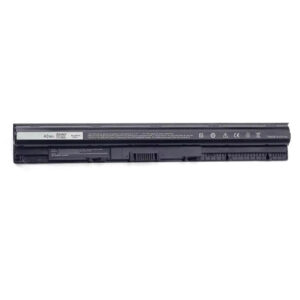 INSPIRON 14 · 15 · 17M5Y1K 40Wh Battery14.8V · 40Wh · 2600mAhFits: 15 5559 / 5558, 17 5755, 14 3452 and more$39.99View battery →
INSPIRON 13 · 15 · 17WDX0R 42Wh Battery11.4V · 42Wh · 3-cellFits: 13 7378, 15 5570 / 5567, 17 7579 and more$39.99View battery →
INSPIRON 14 · 15 · 17M5Y1K 40Wh Battery14.8V · 40Wh · 2600mAhFits: 15 5559 / 5558, 17 5755, 14 3452 and more$39.99View battery →
INSPIRON 13 · 15 · 17WDX0R 42Wh Battery11.4V · 42Wh · 3-cellFits: 13 7378, 15 5570 / 5567, 17 7579 and more$39.99View battery →
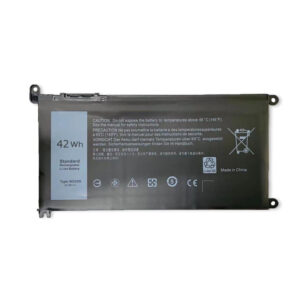 INSPIRON 15 700042Wh Battery for Inspiron 15 757011.4V · 42Wh · 3500mAhFits: 15 7570 / 7573 / 7560 / 7567$39.99View battery →
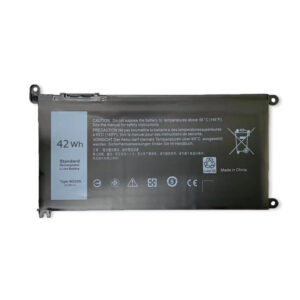 INSPIRON 13 · 14 · 15 · 1742Wh Battery for Inspiron 13 500011.4V · 42Wh · 3500mAhFits: 13 5000 / 7000 plus many 14, 15 and 17 models$39.99View battery →
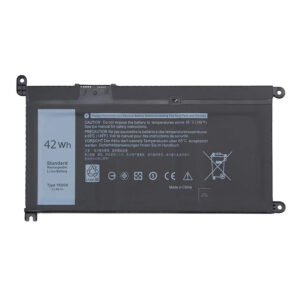 INSPIRON 14 · 15 (3000/5000)YRDD6 42Wh Battery42Wh · 3500mAh · 3-cellFits: 15 5580 / 5590, 14 5480 / 5482, 15 3583 / 3584$59.99View battery →
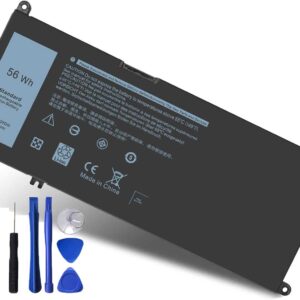 INSPIRON 15 · 17 (7000)33YDH 56Wh Battery56WhFits: 15 7577, 17 7773 / 7778 / 7779 / 7786, Dell G3 · G5 · G7$39.99View battery →
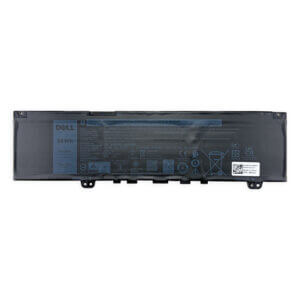 INSPIRON 13F62G0 38Wh Battery11.4V · 38WhFits: 13 5370, 7370, 7373, 7380, 7386$49.99View battery →
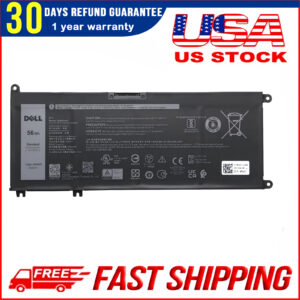 INSPIRON 13 (7000)4WN0Y 56Wh Battery56WhFits: 13 7353, 7577, 7778, 7779$59.99View battery →
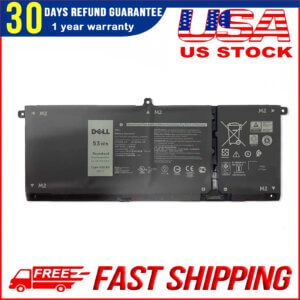 INSPIRON 2-IN-1H5CKD 53Wh Battery15V · 53WhFits: 5400 / 5406 / 7405 2-in-1; 7300 / 7306 / 7500 / 7506 Silver$49.99View battery →
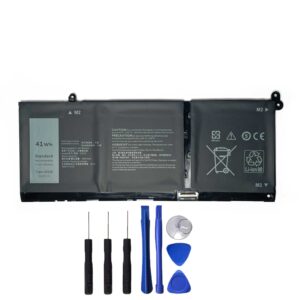 INSPIRON 5000 · 7000G91J0 41Wh Battery11.25V · 41Wh · 3-cellFits: 5418, 5518, 7415 2-in-1$58.99View battery →
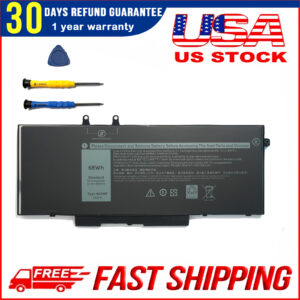 INSPIRON 2-IN-14GVMP 68Wh Battery7.6V · 68WhFits: 7590, 7591, 7791 2-in-1 only$39.99View battery →
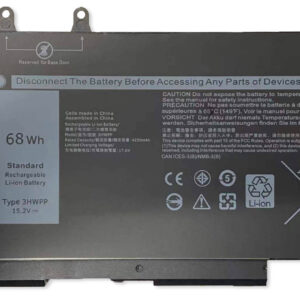 INSPIRON 2-IN-13HWPP 68Wh Battery15.2V · 68WhFits: 7500, 7506 2-in-1 Black Edition$68.99View battery →
Prices are as listed on our Dell battery collection on 12 October 2026. The product page always shows the current price.
Inspiron Model Finder
Type your model number, such as 5570, 7590 or 5400. The table narrows to the batteries whose listing names that model. A part number such as WDX0R works too.
Swipe the table sideways to see every column →
| Battery | Voltage · capacity | Fits | Price | |
|---|---|---|---|---|
| M5Y1K | 14.8V · 40Wh | Inspiron 14 (3000/5000), 15 (3000/5000), 17 (5000) | $39.99 | View |
| WDX0R | 11.4V · 42Wh | Inspiron 13 (5000/7000), 15 (5000/7000), 17 (7000), 3000 seriesPart-number family also used by the two listings below. | $39.99 | View |
| Inspiron 15 7570 | 11.4V · 42Wh | Inspiron 15 7570, 7573, 7560, 7567 (also 7580, 7586, 13 7368 / 7378, 14 7460 / 7472)Lists the WDX0R part-number family. | $39.99 | View |
| Inspiron 13 5000 | 11.4V · 42Wh | Inspiron 13 (5000/7000), 14 (3000/5000), 15 (5000/7000), 17 (3000/5000)Broadest model list of the 42Wh packs; lists the WDX0R part-number family. | $39.99 | View |
| YRDD6 | 42Wh · 3500mAh | Inspiron 14 (5000), 15 (3000/5000/7586), 3000 series, 5481 2-in-1 | $59.99 | View |
| 33YDH | 56Wh | Inspiron 15 7577, 17 7773 / 7778 / 7779 / 7786; Dell G3 3579 / 3779, G5 5587, G7 7588The listing's own voltage figures conflict, so check the product page. | $39.99 | View |
| F62G0 | 11.4V · 38Wh | Inspiron 13 5370, 7370, 7373 (incl. 2-in-1), 7380, 7386 (incl. 2-in-1) | $49.99 | View |
| 4WN0Y | 56Wh | Inspiron 13 7353, 7577, 7778, 7779 (as listed)The listing's own voltage figures conflict, so check the product page. | $59.99 | View |
| H5CKD | 15V · 53Wh | Inspiron 5400, 5406, 7405 2-in-1; 5300, 5301, 5401, 5402, 5408, 5409, 5501, 5502, 5508, 5509; 7300 / 7306 / 7500 / 7506 2-in-1 (Silver Edition only)7300, 7306, 7500 and 7506 2-in-1: Silver Edition only. | $49.99 | View |
| G91J0 | 11.25V · 41Wh · 3467mAh | Inspiron 5418, 5518, 7415 2-in-1Listing also names several Latitude and Vostro models. | $58.99 | View |
| 4GVMP | 7.6V · 68Wh | Inspiron 7590 2-in-1 (without 2.5-inch drive), 7591 2-in-1, 7791 2-in-12-in-1 versions only; the listing says it does not fit the standard 7590, 7591 or 7791. | $39.99 | View |
| 3HWPP | 15.2V · 68Wh | Inspiron 7500 and 7506 2-in-1, Black Edition (also Latitude and Precision models)Black Edition only; the listing says the Silver Edition does not fit. | $68.99 | View |
| 9F4FN | 7.6V · 40Wh · 5000mAh · 2-cell | Inspiron 14 3420 (also Latitude 7320 Detachable) | $49.99 | View |
| MXV9V | 7.6V · 60Wh | Inspiron 7306 (also Latitude 7400, 7300, 5300, 5310) | $67.99 | View |
| Inspiron 1520 / 1720 | 5200mAh · 6-cell | Inspiron 1520, 1521, 1720, 1721Older generation. | $39.99 | View |
Compatibility is taken from each product listing. Some Inspiron models appear against more than one battery because the same model shipped with different packs. Confirm with the part number on your original battery.
Same Inspiron, Different Battery
Two cases where the model name alone is not enough, taken from the fit notes on the listings themselves.
Inspiron 7500 / 7506 2-in-1: Black or Silver Edition
Silver Edition models take the H5CKD (15V, 53Wh), whose listing limits these four models to the Silver Edition. Black Edition models take the 3HWPP (15.2V, 68Wh), whose listing says the Silver Edition does not fit. Check the colour of your laptop before you order.
Inspiron 7590 / 7591 / 7791: standard or 2-in-1
The 4GVMP (7.6V, 68Wh) fits the 2-in-1 versions only. Its listing says it does not fit the standard 7590, 7591 or 7791, and that the 7590 2-in-1 must be the version without a 2.5-inch drive.
Choose the Right Inspiron Battery in 3 Steps
Get the exact model
Press Windows + R, type msinfo32 and read the System Model line, for example "Inspiron 15 5570". The same name is printed on the label under the laptop.
Match the part number
If you can see the old battery, its label carries a part number such as WDX0R or YRDD6. One model can ship with more than one pack, so the part number is the most reliable check. See our part number guide.
Compare voltage and watt-hours
Voltage should match exactly. To compare capacity, use Wh rather than mAh: two packs with the same mAh can hold different energy when their voltage differs.
Is It Really the Battery? Check Before You Buy
Two quick checks tell you whether the pack has aged or something else is wrong.
Run a battery report
Open Command Prompt and type powercfg /batteryreport. Open the HTML file it saves and compare Design Capacity with Full Charge Capacity. Our lifespan guide treats capacity below about 70% as a sign to replace.
Use Dell's built-in diagnostics
Restart the Inspiron and tap F12 at the Dell logo to open the one-time boot menu, then choose Diagnostics. The test includes a battery check. If the laptop only fails on charge, see not charging fixes first.
Stop if it is swollen
A bulging case, a lifted trackpad or a base that no longer sits flat is a fire risk. Power down, unplug and stop using the laptop. Do not press or puncture the bulge, and have the battery replaced by a professional. See what to do immediately.
What Replacing an Inspiron Battery Involves
Many Inspirons keep the pack inside the base, while some older models clip it out the back. Our built-in vs removable guide shows how to tell which you have.
Power down
Shut the laptop down fully and unplug the charger.
Open the base
Remove the base-cover screws and lift the cover carefully, working around the edges.
Swap the pack
Disconnect the battery cable first, then unscrew the old pack and fit the new one. Press and hold the power button for about 5 seconds before you reconnect, to drain residual power.
Charge it fully
Close the cover and charge to 100%. Percentages can drift for the first two or three cycles; see the setup guide.
Most swaps take 15 to 45 minutes. For model-specific safety notes read the complete replacement guide.
Why Order Your Inspiron Battery from ReplacementBatteryMall
Matched by model
Each listing names the part numbers and Inspiron models it fits, so you can check before you pay.
Grade A cells, tested
Batteries are tested before shipment, and the cells are graded A.
1-year warranty
Product pages list a full year of cover against defects, plus a 30-day return window.
Free shipping
Orders are dispatched within 2 business days. Delivery is typically 2 to 7 business days from the US warehouse.
Battery Guides from Our FAQ
Plain-English guides on matching, replacing and caring for a laptop battery.
New to this? Start with Laptop Battery Replacement: The Complete 2026 Guide, or browse all battery FAQs →
Dell Inspiron Battery Replacement FAQ
What battery does my Dell Inspiron need?
It needs the pack that matches your exact Inspiron model and, ideally, the part number on your original battery. Use the model finder above: it shows which of the batteries on this page list your model. If two match, compare part number, voltage and watt-hours before ordering. Our part number guide shows how.
Can one battery fit every Inspiron 15?
No. Inspiron 15 models use different packs depending on the series. The 15 5559 is listed with the M5Y1K (14.8V, 40Wh), while the 15 5570 is listed with the WDX0R (11.4V, 42Wh). Always match by model number and part number, not by screen size.
How do I check my Inspiron battery's health?
Open Command Prompt and run powercfg /batteryreport, then compare Design Capacity with Full Charge Capacity in the report. For a hardware test, restart, tap F12 at the Dell logo and choose Diagnostics. A full-charge capacity far below the design capacity means the pack has aged.
How long does an Inspiron battery last?
Most laptop batteries last about 2 to 5 years, or roughly 300 to 500 charge cycles. Heat and heavy daily use shorten that. Falling runtime, unexpected shutdowns or a swollen case are the usual signs it is time to replace the pack. See the lifespan and warning signs guide.
Can I replace an Inspiron battery myself?
On most models, yes. A typical swap takes 15 to 45 minutes with a small screwdriver: power off, unplug the charger, remove the base cover, disconnect the battery cable first, then swap the pack. Some laptops glue or embed the pack, so read the built-in vs removable guide before you start.
Are these genuine Dell batteries?
Listing wording varies, so read each product page: some listings describe the battery as genuine or OEM, others as a compatible replacement. Our product pages list the same 1-year warranty and free shipping either way. The OEM vs aftermarket guide explains the difference.
What do the warranty, shipping and returns cover?
Our product pages list a 1-year warranty against defects, free shipping and a 30-day return window. Orders are dispatched within 2 business days. Delivery typically takes 2 to 7 business days from our US warehouse and longer from our China warehouse.
Why does my new battery show the wrong percentage at first?
A new pack needs two to three full charge-and-discharge cycles before its percentage reading is accurate. Until then the reading can drift. Charge it to 100% first, then follow the calibration steps in our new battery setup guide. If it still misreports afterwards, contact us.
What if my Inspiron model is not listed?
Send us your model number, or a photo of the original battery label, on WhatsApp at +86 184 7563 5423. We will check it against our full Dell range, which also covers Latitude and other Dell lines. Include the exact model name from the label under the base if you have it.
Can't Find Your Inspiron?
Send your model number, or a photo of the original battery label, on WhatsApp at +86 184 7563 5423. We will check it against our full Dell range. Using an XPS 13 instead? See Dell XPS battery replacement. For Latitude and other Dell lines, see Dell Replacement Battery Solutions.
Dell and Inspiron are trademarks of their respective owners. Brand and model names on this page are used solely to indicate product compatibility and are not associated with the respective brands.