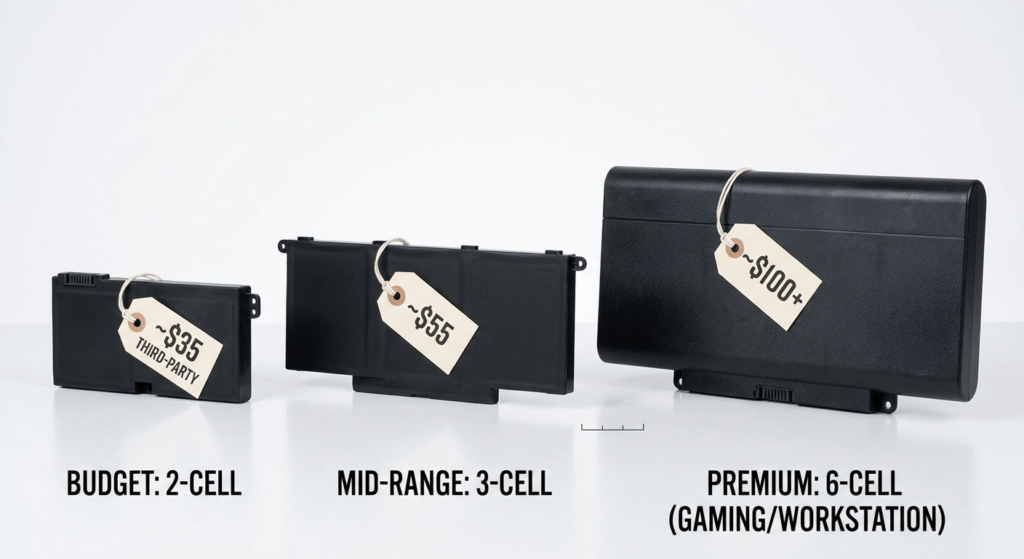
You’re aware that your battery is running out. Is it worthwhile, and how much will it set me back? is the next issue. This guidebook provides genuine price ranges rather than general “$50–$200” responses. We categorize things according to brand (Dell, HP, Lenovo, ASUS), laptop tier (budget, business, gaming), and source (OEM vs. quality third-party). We also go through the straightforward calculations that determine whether to fix or replace.
Based on current listings, the pricing listed here is in the range of the US market. Your exact model may fall towards the lower or higher end depending on availability and battery capacity (Wh).
Part of our Laptop Battery Replacement Guide series. Already know your part number? Find it here first — prices vary by exact model.
1. Price Overview at a Glance
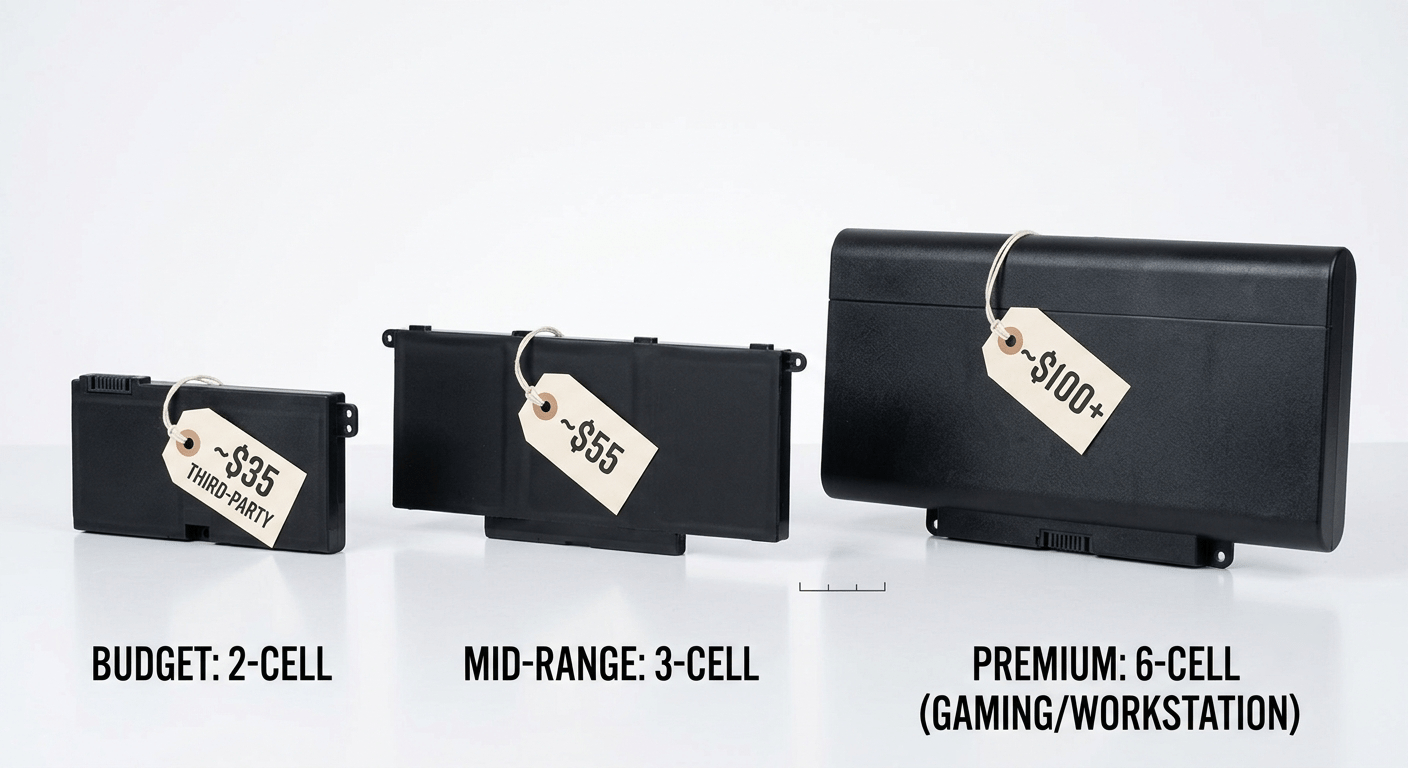
Here’s the broad overview before we get into brand-by-brand analysis. The price of a replacement laptop battery depends on three factors: the battery capacity (Wh), whether you choose to buy an OEM or aftermarket one, and the brand and model tier.
| Brand | Tier | OEM (Manufacturer) | Compatible (Our Price Range) |
|---|---|---|---|
| Dell | Inspiron / Vostro | $55 – $90 | $29.99 – $39.99 |
| Latitude / Precision | $70 – $220 | $39.99 – $99.99 | |
| Alienware / G-Series | $90 – $170 | $50 – $100 | |
| HP | Pavilion / Envy | $60 – $100 | $35 – $55 |
| EliteBook / ZBook | $80 – $155 | $45 – $80 | |
| Spectre x360 | $70 – $120 | $45 – $75 | |
| Lenovo | IdeaPad / Yoga | $60 – $90 | $39.99 – $69.99 |
| ThinkPad T/X Series | $90 – $160 | $39.99 – $69.99 | |
| Legion | $80 – $130 | $55 – $100 | |
| ASUS | VivoBook / ZenBook | $55 – $100 | $49.99 – $119.99 |
| ROG / TUF (gaming) | $80 – $130 | $60 – $120 |
How to read this table: What manufacturers charge directly is displayed in the “OEM” column, and that’s the highest you can go. Our actual pricing for high-quality replacement batteries with the same specifications is listed in the “Compatible” column. At 40–75% less than OEM, you get the same fit, same capacity, and same voltage. Each battery we sell has a one-year warranty, uses Grade A cells, and has a full BMS protection circuit.
2. Dell Battery Prices by Model Line
Dell has the widest price spread of the four brands — from a $55 OEM battery for a budget Inspiron to a $171 workstation pack for a Precision 7000 series.
| Model Line | Example Part Numbers | Capacity | Our Price |
|---|---|---|---|
| Inspiron 15 3000 / 5000 | M5Y1K | 40 Wh | $29.99 |
| Inspiron 5000 / 7000 2-in-1 | WDX0R | 42 Wh | $39.99 |
| Latitude 3320 / 3420 / 3520 | G91J0 | 41 Wh | $58.99 |
| Latitude 5280–5590 / Precision 3520 | 3DDDG | 42 Wh | $39.99 |
| Latitude 5400 / 5500 / 5410 / 5510 | 4GVMP | 68 Wh | $39.99 |
| Latitude 5001 / 5401 / 5411 | 3HWPP | 68 Wh | $68.99 |
| Latitude 7480 / 7490 / 7390 | F3YGT | 60 Wh | $78.99 |
| Latitude 5300 / 7300 / 7400 | 0G74G | 42 Wh | $39.99 |
| Latitude 9440 / 9450 2-in-1 | GT6TK | — | $66.99 |
Dell pricing reality: Most Dell laptop batteries on our store fall between $29.99 and $78.99. The $39.99 price point covers a huge swath of Latitude and Inspiron models — including high-capacity 68Wh packs like the 4GVMP. Dell’s own store charges $119–$189 for the same batteries. The difference isn’t quality — it’s the brand markup and retail overhead.
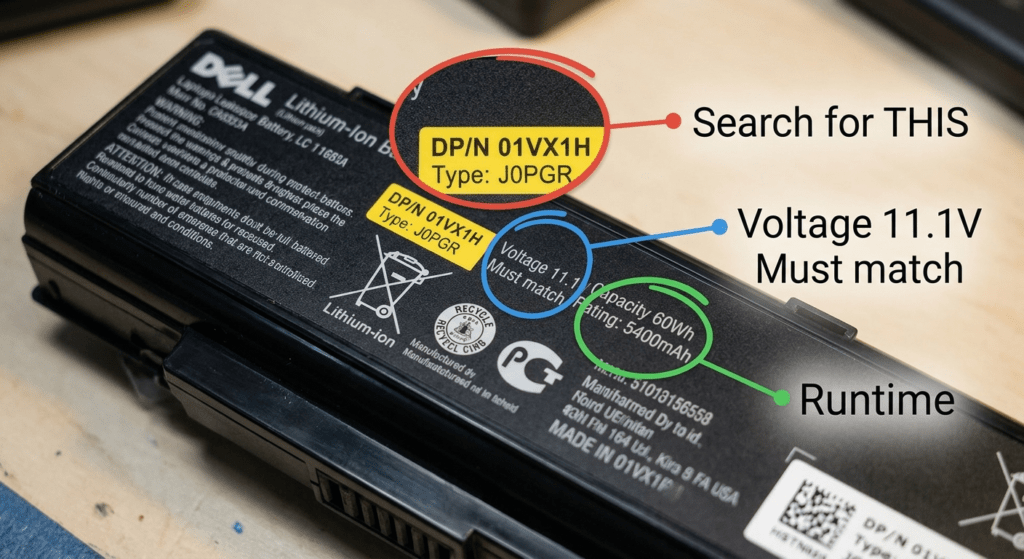
Dell buying tip: If you still have your Service Tag (on the bottom label), go to support.dell.com and look up your machine’s original configuration. It’ll show the exact battery part number your laptop shipped with — and Dell’s own price for a replacement. That’s your OEM ceiling. A quality third-party version of the same battery typically runs 40–60% less.
I’ve used the Dell Service Tag lookup more times than I can count. The OEM price it shows is almost always $20–$40 higher than what you’ll pay from a quality third-party seller — same specs, same fit. The Service Tag tells you which battery you need. Where you buy it is a separate decision.
3. HP Battery Prices by Model Line
HP batteries tend to be slightly more expensive than Dell equivalents at the consumer tier, but the business lines (EliteBook, ZBook) are comparable. The HP Parts Store quotes higher prices than what you’ll find through third-party sellers.
| Model Line | Example Part Numbers | Capacity | OEM | Compatible (Our Price) |
|---|---|---|---|---|
| Pavilion 14/15 | HT03XL, MU06 | 41 – 45 Wh | $60 – $85 | $35 – $50 |
| Envy x360 / Spectre x360 | CM03XL, varies | 55 – 84 Wh | $70 – $120 | $45 – $75 |
| EliteBook 830/840 G7–G10 | 919680-851 | 51 – 53 Wh | $80 – $119 | $45 – $80 |
| ZBook Firefly / EliteBook 850 | Varies by gen | 51 – 76 Wh | $87 – $155 | $55 – $90 |
HP buying tip: HP batteries have a “Spare” number (SPS) — that’s the number you want for searching. Avoid searching by the HSTNN-XXXX code on the label — it’s a regulatory identifier, not a part number, and will return mismatched results. Also: many EliteBook models share batteries across generations (G7 and G8 often use the same pack), so don’t assume you need a different battery just because the laptop generation changed. Check the part number.
4. Lenovo Battery Prices by Model Line
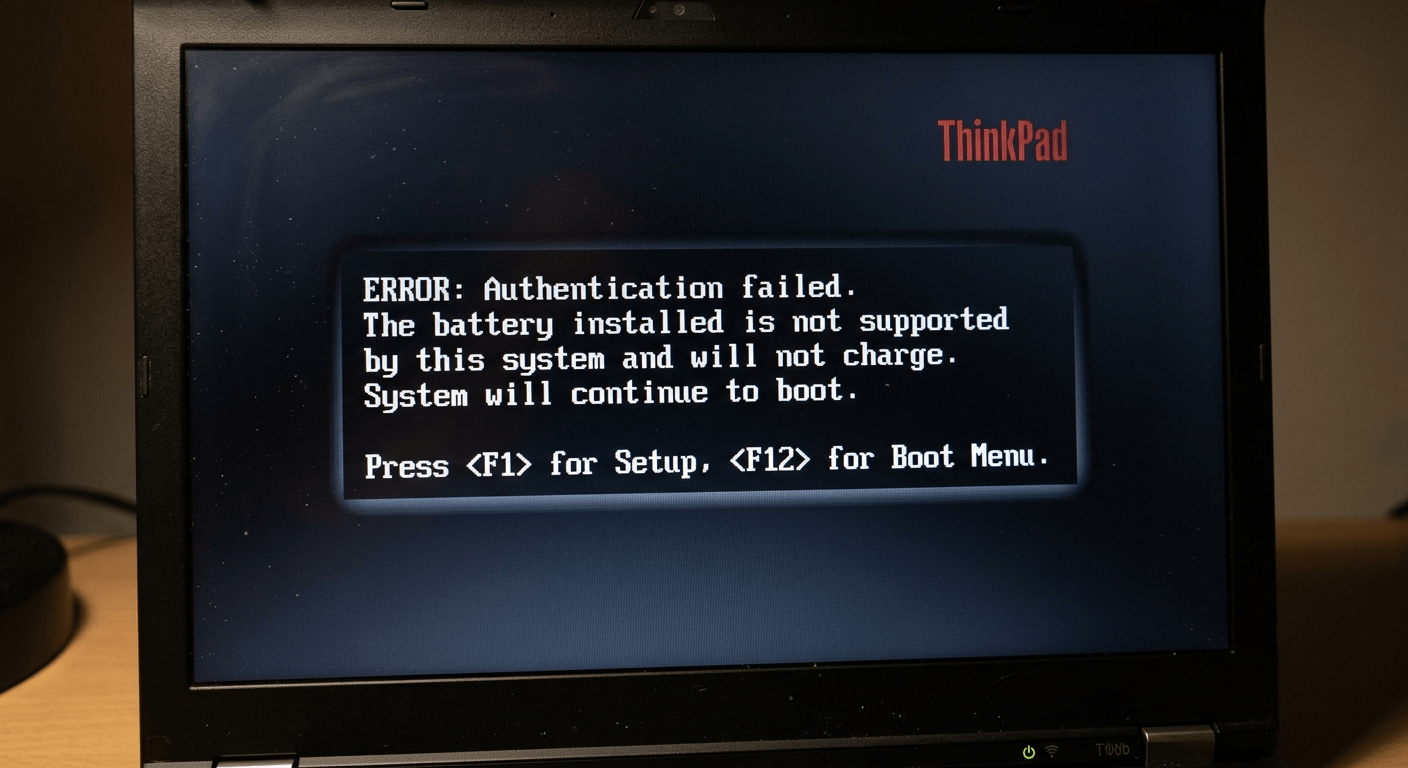
Lenovo has one quirk that affects pricing more than any other brand: ThinkPad firmware DRM. Many ThinkPad models (T480 and newer, X1 Carbon, T14, T16) authenticate the battery through a firmware handshake. If the battery doesn’t have the right chip, the laptop will boot but show a “battery not recognized” warning and may refuse to charge. This means ThinkPad owners can’t just buy the cheapest compatible — they need a battery with the correct authentication.
| Model Line | Example Part Numbers | Capacity | Our Price |
|---|---|---|---|
| ThinkPad T470 / T480 / T570 / T580 | 01AV423 | 24 Wh | $24.99 |
| ThinkPad T480 / A485 (internal) | 01AV420 / 01AV421 | 24 Wh | $68.88 |
| ThinkPad T570 / T580 / P51s (high cap) | 01AV493 | 57 Wh | $39.99 |
| ThinkPad X1 Carbon Gen 5 / 6 | 01AV430 | 57 Wh | $39.99 |
| ThinkPad P50 / P51 / P52 | 00NY493 / 01AV477 | — | $69.99 |
| ThinkPad X220 / X230 | 45N1023 | — | $39.99 |
| IdeaPad Slim 3 / V14 / V15 | L22X3PF2 | 47 Wh | $69.99 |
| ThinkPad X13 / X390 / X395 | L18M6PD1 | 48 Wh | $49.99 |
Lenovo pricing reality: Most Lenovo batteries on our store range from $24.99 to $69.99. The sweet spot is $39.99 — that covers popular ThinkPad packs like the 01AV493 (57Wh) and 01AV430 (X1 Carbon). Lenovo’s own store charges $86–$160 for these same batteries. The key with Lenovo: make sure you get a battery that passes the ThinkPad firmware check. All our Lenovo batteries are tested for ThinkPad compatibility — no POST warnings, no “battery not supported” messages.
I learned this after buying a $32 battery for a T480. It physically fit, the connector was right, and the voltage matched. The laptop booted — then immediately threw a “The battery installed is not supported by this system” warning at POST. It worked, but every cold boot added 5 seconds of waiting for the warning to clear. The $55 certified-compatible version had no such issue.
5. ASUS Battery Prices by Model Line
ASUS batteries are the hardest to generalize — availability varies more than Dell/HP/Lenovo, and pricing swings widely between official channels and third-party sellers. Consumer models (VivoBook, ZenBook) have good third-party availability. Gaming models (ROG, TUF) are more niche — fewer aftermarket options, higher prices.
| Model Line | Example Part Numbers | Capacity | OEM | Compatible (Our Price) |
|---|---|---|---|---|
| VivoBook A712EA / K712EA | B31N2015 | 48 Wh | $80 – $120 | $49.99 |
| ZenBook 14 / ExpertBook P5 | C31N2313 | 63 Wh | $180 – $339 | $119.99 |
| ROG / TUF Gaming | Varies by model | 56 – 90 Wh | $80 – $150 | $60 – $120 |
ASUS buying tip: ASUS uses model numbers in CxxNxxxx or BxxNxxxx format. The ExpertBook P5 battery (C31N2313) is a good example of the OEM markup — ASUS charges up to $339, while our compatible version is $119.99 with identical 63Wh capacity and 11.61V output. For gaming laptops, always match the exact part number — ROG and TUF models have less parts standardization than Dell or Lenovo equivalents.
6. DIY vs Professional Installation: What Labor Costs
The battery itself is only part of the cost. Installation runs from free (you do it) to $100+ (authorized service center). Here’s how the numbers break down.
| Scenario | Battery Cost | Labor | Total | Best For |
|---|---|---|---|---|
| DIY — external battery | $24.99 – $69.99 | $0 | $24.99 – $69.99 | Older laptops with removable batteries — 30 seconds, no tools |
| DIY — internal screw-mounted | $24.99 – $119.99 | ~$15 (one-time tools) | $40 – $135 | Most modern laptops — 15–30 min, basic screwdriver + pry tool |
| Independent repair shop | $30 – $120 | $40 – $80 | $70 – $200 | Internal batteries if you’re not comfortable opening the laptop |
| Authorized service center | $80 – $340 (OEM only) | $50 – $100 | $130 – $440 | Under-warranty laptops, glued-in batteries, swollen batteries |
The DIY route saves $40–$100 in labor — enough to upgrade from a third-party battery to OEM. If you’re comfortable with a screwdriver and 15 minutes of disassembly, it’s the best value by far. If the battery is glued in (Surface, MacBook, some ultrabooks) or swollen, pay the professional. The labor cost is cheaper than replacing a laptop you punctured the battery in.
7. Repair vs Replace: The 30% Rule
Before spending money on a battery, ask yourself: is this laptop worth saving? Here’s a simple decision framework:
If the battery replacement cost is under 30% of a comparable new laptop, replace the battery. If it’s over 30% — and your laptop is more than 5 years old — consider upgrading.
Real-World Examples
| Scenario | Battery Cost | New Equivalent | % | Verdict |
|---|---|---|---|---|
| 4-year-old Dell Latitude 5590, runs fine | $39.99 (4GVMP) | ~$900 (new Latitude) | 4% | ✅ Replace the battery — it’s a no-brainer |
| 6-year-old HP Pavilion, still works but slow | $45 (HT03XL) | ~$500 (new Pavilion) | 9% | ✅ Replace the battery — cheap enough to extend its life |
| 5-year-old ThinkPad X1 Carbon, keyboard has dead keys | $39.99 (01AV430) | ~$1,200 (new X1 Carbon) | 3% | ⚠️ Maybe — battery cost is low, but the keyboard issue adds to the total cost of keeping it alive |
| 8-year-old ASUS VivoBook, cracked screen, won’t update to Windows 11 | $49.99 (B31N2015) | ~$450 (new VivoBook) | 11% | ❌ Replace the laptop — multiple issues + obsolete OS |
The 30% rule works because it accounts for the total picture. A $65 battery for a $900 laptop is an easy yes. A $150 battery for a $400 laptop that already has other problems — you’re better off putting that money toward something new.
I had a 7-year-old ASUS that needed a battery, a new keyboard, and couldn’t run Windows 11. The battery was only $45 — well under 30% of a new laptop. But adding the keyboard repair and the obsolete OS, I was looking at ~$150 in fixes for a machine worth maybe $200. I sold it for parts and put the money toward a refurbished ThinkPad. Sometimes the battery is just the first domino.
8. How to Get the Best Price (Without Buying Junk)
The cheapest battery isn’t the best deal — it’s usually the most expensive one in the long run. Here’s how to get a good price on a battery that’ll actually last.
Smart Shopping Rules
| Do | Don’t |
|---|---|
| Match the part number first, then compare prices | Buy the cheapest “compatible with [laptop model]” result — it’s probably the wrong battery |
| Look for CE, UL, or RoHS certifications on the label | Buy batteries with no certification marks — or blurry/fake-looking ones |
| Check for at least a 1-year warranty | Accept 30-day warranties — the battery will fail in month 4, not week 3 |
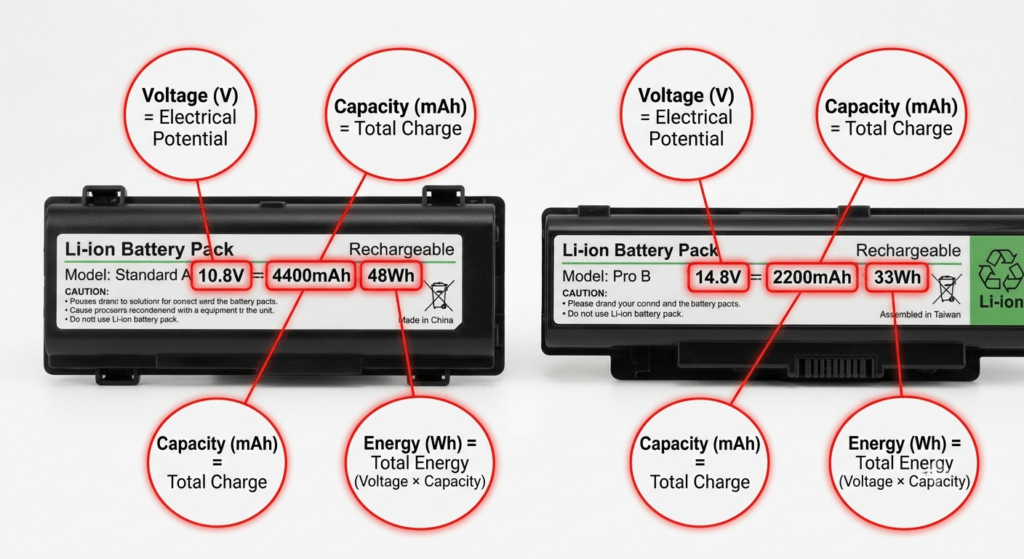
| Compare Wh (watt-hours), not mAh, across options | Trust “6600mAh” claims on a small battery — if it sounds too good, it is |
| Buy from sellers with real product photos, not stock images | Buy from listings that use manufacturer stock photos — you can’t verify connector or shape |
The Real Cost of Cheap
Here’s the math nobody does when they’re staring at a $18 battery listing:
| Cheap No-Name | Quality Compatible (Our Batteries) | |
|---|---|---|
| Upfront cost | $15 – $20 | $24.99 – $69.99 |
| Typical lifespan | 6–10 months | 18–24 months |
| Replacements over 3 years | ~3 times | ~1 time |
| Total 3-year cost | $45–$60 + 3 shipping delays + 3 installs | $24.99–$69.99 + 1 install |
| Warranty | 30–90 days (if any) | 1 year |
The cheap battery costs you more money, more time, and more frustration. The “expensive” $45 option was actually cheaper. This pattern repeats across every price tier — the battery that costs twice as much upfront usually costs half as much per year of use.
Frequently Asked Questions
How much does it cost to replace a laptop battery?
$30–$170 for the battery itself, plus $0–$100 for professional installation. DIY with a quality third-party battery runs $30–$100 total. Professional replacement with an OEM battery runs $130–$270. The exact price depends on your brand, laptop model, and battery capacity.
Is it worth replacing a laptop battery or should I buy a new laptop?
If the battery cost is under 30% of a comparable new laptop — and the laptop otherwise works fine — replace the battery. A $65 battery for a $900 machine is a 7% investment. If the laptop has multiple hardware issues or is over 7 years old, put the money toward a new one.
How much does a Dell / HP / Lenovo / ASUS battery cost?
Consumer models (Inspiron, Pavilion, IdeaPad, VivoBook): $30–$90 third-party, $55–$100 OEM. Business models (Latitude, EliteBook, ThinkPad): $40–$170 depending on capacity. Gaming models (Alienware, Legion, ROG): $50–$170 due to larger battery packs (80–99Wh).
Are cheap replacement batteries worth it?
Batteries under $20–$25 are rarely worth it. They typically last 6–10 months, often overstate their capacity, and may lack proper safety certifications. A $45 quality third-party battery that lasts 18–24 months is cheaper per year of use — and safer.
How much does professional battery installation cost?
Independent repair shops charge $40–$80 for labor. Authorized service centers charge $50–$100. Some retailers like Micro Center offer a flat $49.99 installation fee. DIY costs $0 plus ~$15 for basic tools (one-time purchase).
Can I replace my laptop battery myself to save money?
Yes — for most laptops with screw-mounted internal batteries or external removable batteries. You’ll save $40–$100 in labor. The exception: glued-in batteries (Microsoft Surface, MacBook) and swollen batteries — these should be handled by a professional.
Why are OEM laptop batteries so expensive?
OEM batteries cost more because they include a full-featured BMS (Battery Management System) with cell-level monitoring, rigorous safety testing (UL, CE, FCC, UN 38.3), tighter quality control on cell matching, and the manufacturer’s warranty. You’re paying for safety testing and consistency, not just the cells.
How long does a replacement battery last?
OEM batteries: 2–3 years (300–500 cycles). Quality third-party: 1.5–2 years. Cheap no-name: 6–12 months. Lifespan depends heavily on usage habits — keeping the battery between 20–80% charge and avoiding heat can add 1–2 years.
References & Sources
- Dell Support — Official battery pricing and parts catalog for Dell laptops.
- HP PartSurfer — Official HP parts database with pricing for battery spare numbers.
- Lenovo Support — Official Lenovo parts lookup and battery compatibility information.
- UL Standards & Engagement — UL 2054 and UL 1642 safety standards for lithium battery testing.
Compare Laptop Battery Prices
Browse batteries for Dell, HP, Lenovo, ASUS, and more — all backed by a 1-year warranty.