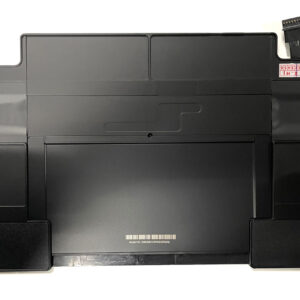
Genuine L19M4PDC 71Wh Internal Battery for Lenovo Yoga 7i (2020, 2021, 2022 Models)
Restore the versatile, all-day battery life of your Lenovo Yoga 7i. This genuine L19M4PDC replacement battery is engineered to the original 71Wh (4622mAh) specification for your Lenovo Yoga 7i from 2020, 2021, and 2022. Experience guaranteed compatibility and long-lasting power that supports work and entertainment in laptop, tent, or tablet mode.
Precision Compatibility
This L19M4PDC battery is a direct internal replacement for the following Lenovo Yoga 7i models and part numbers:
Compatible Yoga 7i Models (2020-2022):
Yoga 7i 7-14ITL5 (14″)
Yoga 7i 7-15ITL5 (15.6″)
Yoga 7i 7-14ACN6
Yoga 7i 7-14ARB7
Replacement Part Numbers: L19M4PDC, 19L4PDC, L19C4PDC
Genuine FRU Codes: 5B10Z26479, SB10Z26481, 5B10Z26482
Key Specifications & Authenticity
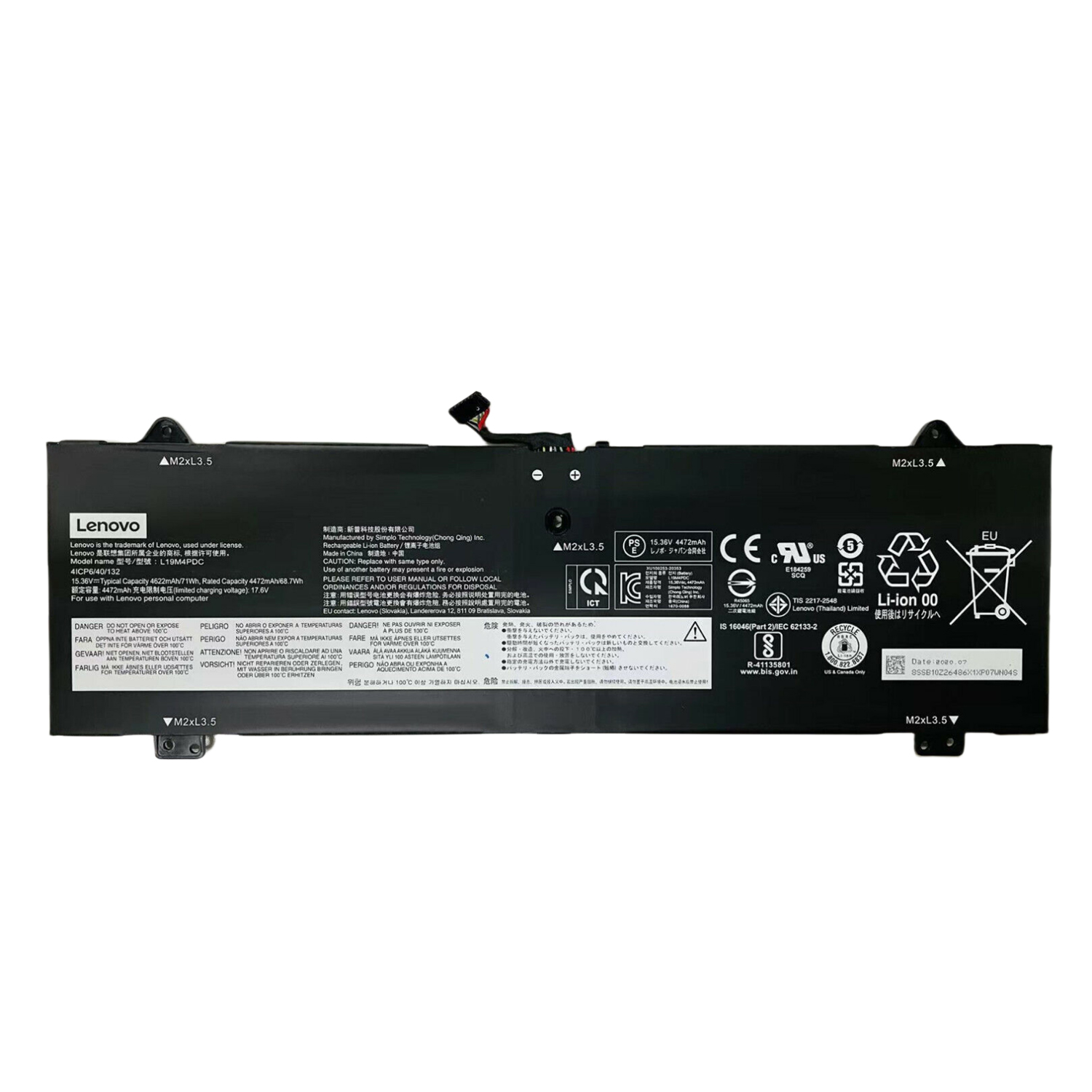
Battery Model: L19M4PDC (Genuine Specification)
Capacity: 71 Wh (4622mAh) – High Capacity
Voltage: 15.36 V (Ensures Correct Performance)
Type: Li-Polymer Battery (Internal)
Condition: Brand New, OEM Quality
Why Choose This L19M4PDC Battery?
All-Day Power for a 2-in-1: The high 71Wh capacity is designed to provide extended runtime, making it ideal for mobile professionals and students.
Seamless Integration: Precision-engineered for the slim Yoga 7i chassis, guaranteeing a perfect fit and secure connection without interfering with the 360-degree hinge.
Stable & Safe Operation: Features advanced protection circuits to prevent overcharging and short circuits, ensuring the safety of your device.
Accurate System Reporting: Works flawlessly with Lenovo Vantage software to provide precise battery level and health information.
Professional Installation Recommended
The Lenovo Yoga 7i features a unibody design with an internal, non-user-removable battery. Replacement requires careful disassembly of the slim chassis.
We strongly recommend having this replacement performed by a qualified technician to avoid damaging the delicate components or display cables.
Frequently Asked Questions (FAQ)
Q: Is this compatible with the 14-inch and 15-inch Yoga 7i?
A: Yes. The L19M4PDC battery is used in both the 14-inch (e.g., 7-14ITL5) and 15.6-inch (7-15ITL5) models of the Yoga 7i from the compatible years.
Q: What is the difference between L19M4PDC and 5B10Z26479?
A: L19M4PDC is the manufacturer’s part number, while 5B10Z26479 is Lenovo’s FRU (Field Replacement Unit) code. They refer to the same battery.
Q: Will this work with a Yoga 6 or a Yoga 9i?
A: No. This battery is specifically for the Yoga 7i models listed. The Yoga 6 and Yoga 9i use different, incompatible batteries.
Ready to Bring Back All-Day Versatility?
Order the genuine L19M4PDC battery today and enjoy uninterrupted creativity and productivity.
FAQ: Genuine L19M4PDC Replacement Battery for Lenovo Yoga 7i (2020-2022 Models)
Q1: Is this battery compatible with my Lenovo Yoga 7i?
Yes, this Genuine L19M4PDC battery is specifically designed for multiple years of the Lenovo Yoga 7i. It is compatible with:
Yoga 7i (2020, 2021, 2022) models
Specific Series: 7-14ITL5, 7-15ITL5, 7-14ACN6, 7-14ARB7
Screen Sizes: 14-inch and 15-inch models
Part Numbers: L19M4PDC, 19L4PDC, L19C4PDC
FRU/Part #: 5B10Z26479, SB10Z26481, 5B10Z26482
Q2: What are the technical specifications?
This genuine battery matches original Lenovo specifications:
Lenovo Part Numbers: L19M4PDC, 19L4PDC, L19C4PDC
Voltage: 15.36V
Capacity: 71Wh (Watt-hours) / 4622mAh
Chemistry: Lithium-Ion
Configuration: 4-Cell
Q3: Is this a genuine Lenovo OEM battery?
Yes, this is a 100% genuine Lenovo OEM battery manufactured to exact factory specifications. It guarantees perfect compatibility, safety, and optimal performance for your Yoga 7i’s 2-in-1 functionality.
Q4: How difficult is it to replace the battery myself?
Replacing the battery in the Yoga 7i requires moderate to advanced technical skill:
Tools Needed: Precision Phillips screwdriver, plastic prying tools, spudgers
Complexity: Medium-High
Process: Requires careful removal of the bottom case and disconnecting the battery cable
Recommendation: We recommend watching a teardown video for your specific Yoga 7i model before attempting. Professional installation is advised if you’re uncomfortable with electronics repair.
Q5: What warranty do you offer?
This genuine Lenovo battery comes with a 12-month warranty against manufacturing defects.
Q6: Will my Yoga 7i recognize this new battery correctly?
Yes, the system will automatically recognize this genuine battery. For optimal performance:
Use Lenovo Vantage software to check battery status
Allow 2-3 complete charge cycles for calibration
Update your BIOS and power management drivers
Q7: How can I maximize my new battery’s lifespan?
To extend battery life for your 2-in-1 device:
Use Battery Conservation Mode in Lenovo Vantage when primarily plugged in
Avoid frequent complete discharges
Keep the device well-ventilated during use
Store in a cool, dry environment
Q8: My old battery is swollen. Is it safe to replace?
A swollen battery in a Yoga 7i requires immediate professional attention:
Power off immediately and disconnect from power
Do not attempt DIY removal – risk of damaging the convertible mechanism
Contact professional repair service
Store in a fire-safe location until professional help arrives
Q9: Why is the 71Wh capacity beneficial?
The 71Wh capacity provides:
Extended runtime for productivity and entertainment
Better battery life for the 2-in-1 form factor
Adequate power for the touchscreen and convertible features
Optimal balance between capacity and device weight
Q10: Why choose genuine over third-party batteries?
For your premium Yoga 7i, a genuine battery ensures:
Perfect Compatibility: Exact fit for the slim convertible design
Safety Certified: Meets all Lenovo safety standards
Performance Optimized: Proper power delivery for all usage modes
Quality Assurance: Premium cells for consistent performance
Warranty Protection: legitimate coverage and support
⚠️ Important Installation Note
The Yoga 7i has a compact internal design with delicate connectors for its 2-in-1 features. If you’re not experienced with electronics repair, professional installation is recommended to avoid damaging the touchscreen or hinge mechanism.
Need Compatibility Confirmation?
Contact us with your Yoga 7i’s serial number or model number, and we’ll guarantee perfect fitment for your specific device!
Yoga Tip: Enable “Battery Conservation Mode” in Lenovo Vantage when using your Yoga 7i primarily as a desktop replacement to extend your new battery’s lifespan by limiting maximum charge to 80%.


Reviews
There are no reviews yet.